
The short answer
To update npm to the latest version on your anonymous VPS or any Linux machine, run the following command:
npm install -g npm@latestOr, if you need a specific version, specify it with @:
npm install -g [email protected]If you're on Windows or macOS, you can go to nodejs.org, download the latest installer, and run it. It comes bundled with npm. Alternatively, run winget upgrade -q NodeJS from the command line.
Once the install is complete, you can check your node version using the guide below.
 BitLaunch
Or install nodejs on Ubuntu if you need to, using this guide.
BitLaunch
Why update npm?
Updating to the latest npm version ensures that you have the latest features, performance improvements, bug fixes, and security patches.
Additionally, there are critical security vulnerabilities in several older versions of Node.js and package dependencies. Updating npm will give you the tools to audit for and fix vulnerabilities in your project's dependencies.
How to check your npm version
If you want to check your current npm version or you're unsure whether it's installed or not, you can run the following npm version command:
npm -vYou'll get an output such as:
11.6.1How npm versions work
When looking at your version number, keep in mind that npm uses Major.Minor.Patch semantic versioning. Let's use npm 11.6.1 as an example:
- 11: The major npm version, where there may be breaking changes, removed features, internal rewrites, etc.
- 6: The minor npm version, which could include new features, non-breaking feature updates, new CLI options, performance improvements, and more.
- 1: The patch version, addressing elements like bugs, vulnerabilities, internal stability fixes, and small behavior improvements.
It's important to keep this in mind when updating node for an important project. The further to the left the increase, the more likely it is to break your application.
What is the latest version of npm?
Fetching latest npm version…
Need a space to develop? Try our Ubuntu VPS hosting.
How to update npm on Linux and macOS
The npm install command is one of the easiest ways to update your npm version on Linux or macOS.
npm install -g npm@latestLet's break down the command in detail:
- npm install: Invokes the install functionality of node package manager
- -g: The global flag, which ensures npm and its packages update across your entire system, rather than the specific project you're working on
- npm@latest: Specifies that
npmis what you want to install and that you want it to be the@latestversion.
How to install a specific npm version
To choose a specific version or downgrade to an older version of npm, just type the version number after npm:
npm install -g [email protected]How to update npm using nvm
npm's documentation officially recommends using Node Version Manager (nvm) to install npm. nvm can be very useful because it lets you easily switch between node versions. This can be very useful for testing new versions before pushing to production, for example. Using nvm rather than manually installing also ensures you have the correct permissions.
To update npm with nvm, first install it using:
curl -o- https://raw.githubusercontent.com/nvm-sh/nvm/v0.39.7/install.sh | bashThen run the command it suggests to start using nvm instantly. Make sure to check the Github for the latest version of the above command. You can also list services to check exactly what's running.
Updating nvm is then really simple:
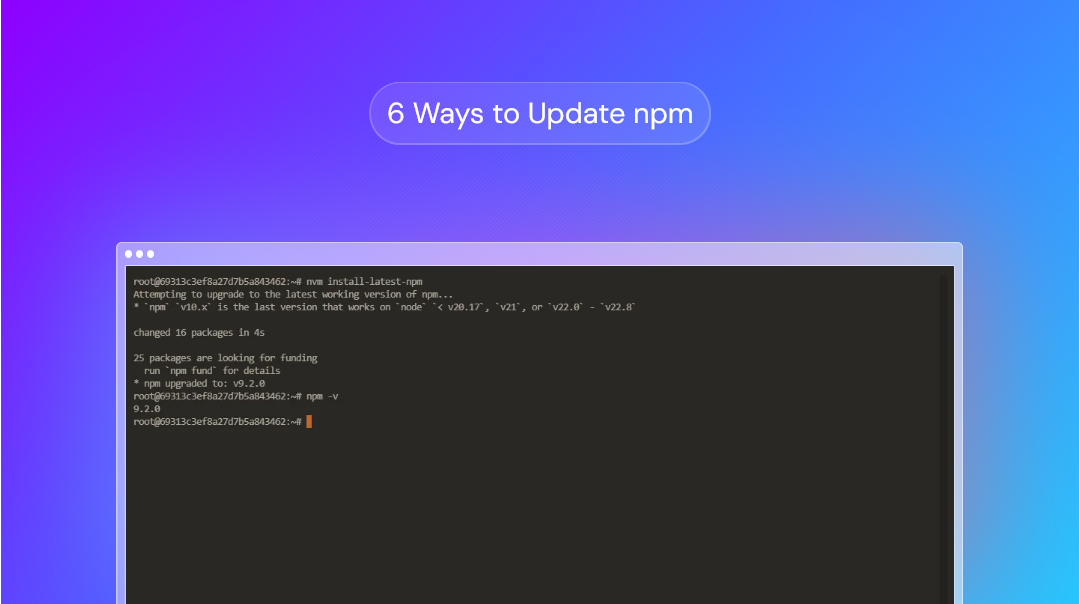
nvm install-latest-npmThis will update just npm for the current node version you have selected. You can alternatively update node and its associated npm version using:
nvm install nodeHow to use nvm to change npm version
As mentioned, npm allows you to seamlessly switch between node and npm versions. The simplest way to change npm version with nvm is to switch to an associated node version:
nvm use 18If you don't like nvm, you can alternatively use a different package manager, such as Yarn.
How to update npm for a specific Node.js version
You can update the npm version for a selected node version by installing it via npm with your target node version selected in nvm. For example:
nvm use 24.1.1
npm install npm@20
How to update npm using the n module
Updating npm using n helper module is outdated and only works on Linux and macOS, which is why it's not at the top of our list. However, it may be worth trying if you're having issues with the other methods. Run these commands to update npm:
sudo npm cache clean -f sudo npm install -g nsudo n latestAs with most methods, you don't necessarily need to update to the latest node.js version with the final command. You could instead use n stable or write a specific version number.
How to update npm manually
While it's not recommended because it can cause permisions errors, you can also install npm manually using the official script. Just run the following command:
curl -qL https://www.npmjs.com/install.sh | shUpdating npm with the Node.js installer on Windows
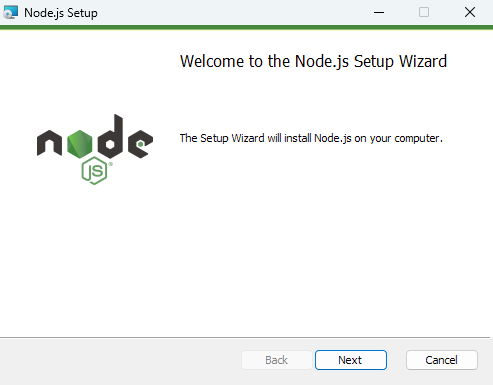
If you're Windows or a Linux RDP client , then updating applications via their dedicated installer will likely be the most familiar to you. This works for npm, too. Just:
- Download the latest Node.js Windows installer from the official website.
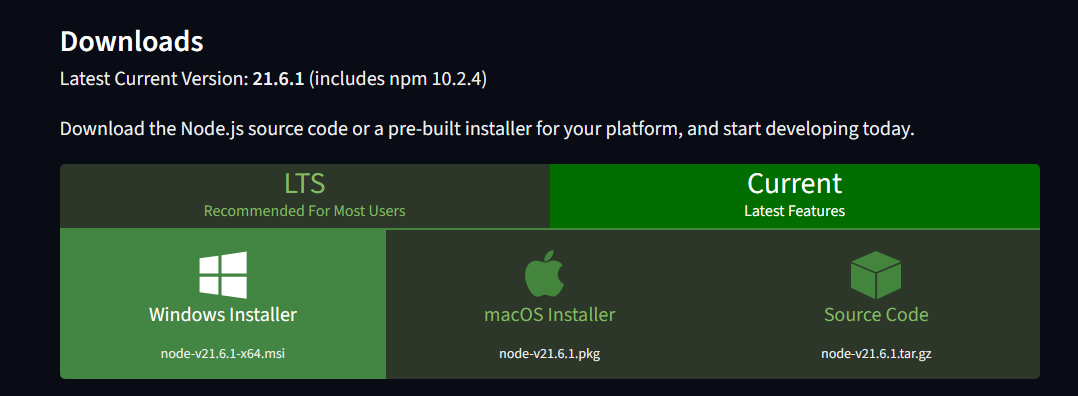
2. Double-click the executable to run the installation wizard.
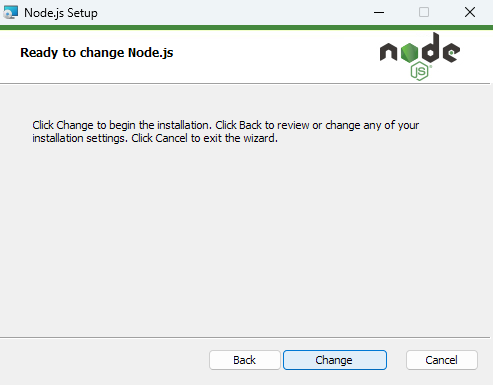
3. Choose "Change" and make sure the npm feature is enabled.
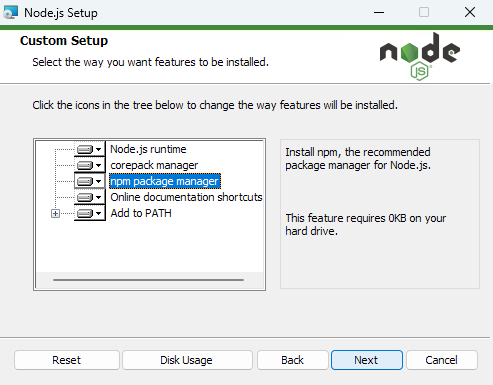
4. Press "Next" until the installation is complete.
Don't have a Windows machine? Sign up for BitLaunch for a free trial of our Windows RDP servers and check our guide on how to RDP from Linux.
How to update npm on Mac using Homebrew
As well as the Linux commands mentioned above, macOS users can use their package manager, Homebrew, to update npm:
- Open Terminal and install Homebrew by running
/bin/bash -c "$(curl -fsSLhttps://raw.githubusercontent.com/Homebrew/install/master/install.sh)". - Type
brew update, followed bybrew upgrade npm. - Check your npm version using
npm -vto verify the change.
Troubleshooting and FAQs
There are some common issues and questions that are worth covering before we sign off.
Why am I getting an "unsupported" error?
If your npm update fails due to an error such as npm ERR! engine Not compatible with your version of node/npm, it's usually because your nodejs version is not compatible with the version of npm you are trying to update to.
To remedy this, either update to an older version of npm or update nodejs using nvm install node.
What does npm update do?
npm update looks at your package.json, and upgrades dependencies to the latest version within your allowed semver range. For example:
- "^4.18.0": updates to the latest 4.x.x version
- "~4.18.0": updates only patch versions
- "4.18.0" : will NOT update at all
It's important to note that npm update does not update npm or node.
How do I update my npm version to 10.9.2?
You can install npm 10.9.2 by running the following command:
npm install [email protected]Should I use node 24 or 22?
It depends on your project. Both are excellent choices in LTS, but node 22 may be slightly more stable and have slightly fewer breaking change risks. Node 24, however, delivers performance/engine improvements, as well as modern JS/Web-API support.
Our recommendation: use 22 for mission-critical projects and node 24 for everything else.
Found this guide helpful? Say thanks by trying out our Bitcoin VPS servers.