
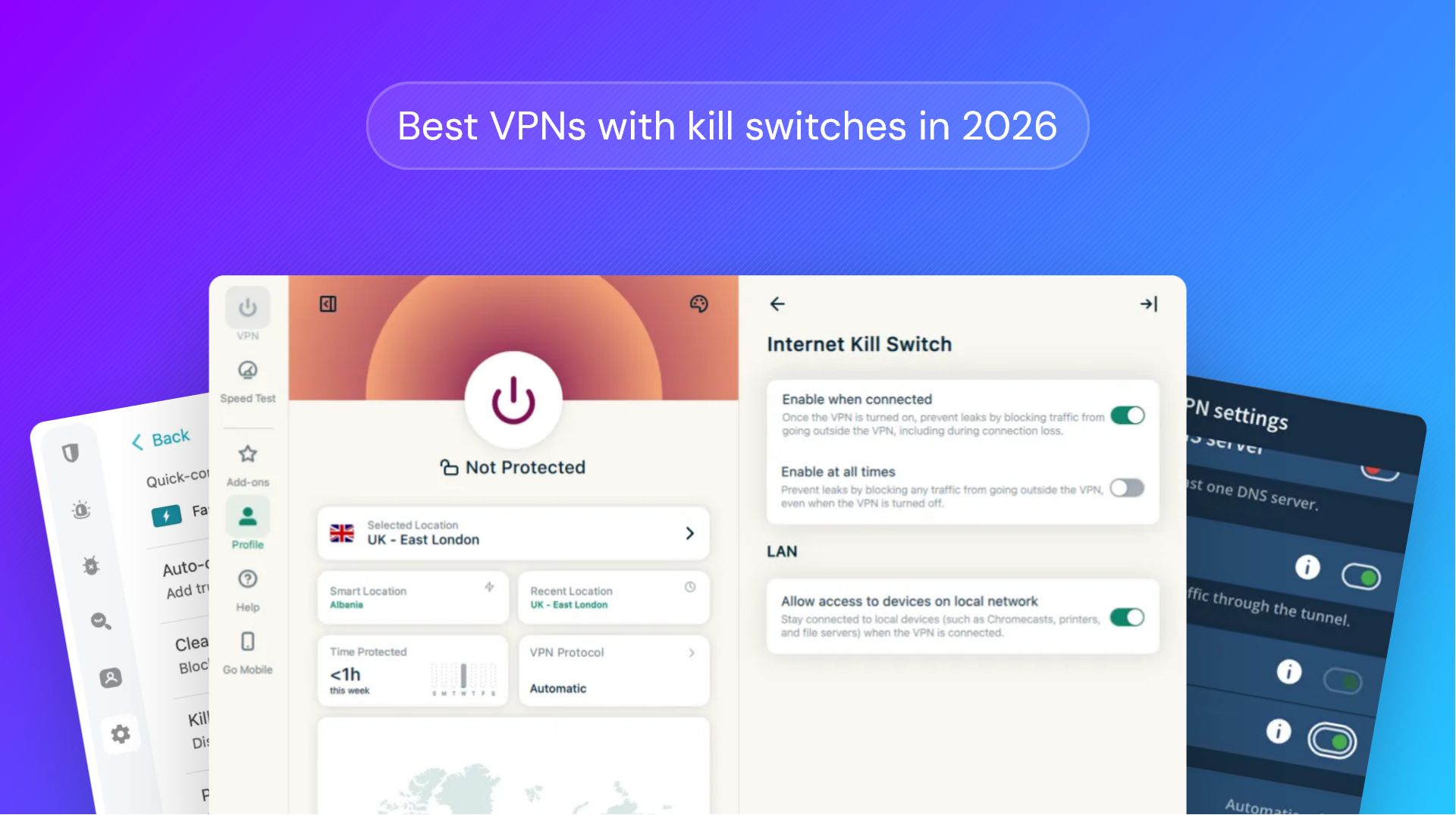
Kill switches are a key feature of modern VPNs, helping to ensure that users' true identities remain private and that their traffic is secure from snoopers on their network. You may be surprised to hear, however, that though almost every modern VPN features a kill switch, many of them do not function as advertised.
We've performed extensive, first-party testing to assess the kill switches of seven of the most popular VPN providers and ranked them based on both our findings and the VPNs' overall pros and cons.
We'll cover:
- What is a VPN kill switch?
- When does a kill switch activate?
- How does a kill switch work?
- Our testing methodology
- The best VPNs with kill switches
- How to choose the right kill switch VPN
- What you can do to prevent VPN kill switch leaks
- Does a good kill switch equal privacy?
- FAQs
What is a VPN kill switch?
A VPN kill switch disables a user's internet connection when their connection to a VPN server drops, ensuring their real IP address stays hidden and they don't send unencrypted traffic that could be snooped on by their ISP.
Why is a kill switch useful?
Kill switches are useful because they react faster than a human would in a wide variety of circumstances. VPNs work by routing your traffic through a remote server, and no server has 100% uptime. If the connection to that server is lost, so are the privacy benefits of your VPN.
While you might think you can just stop what you're doing once you lose connection, it's unfortunately not that simple. Let's say you're watching a stream; when your VPN connection drops, your browser will continue to send requests to fetch the next second of content before you have time to react. Further, connections can fail silently and for a matter of milliseconds. Unless you're watching network logs like a hawk, you're not likely to notice.
When does a VPN kill switch activate?
Theoretically, a VPN kill switch activates any time the connection to the VPN server lapses. This includes:
- When you lose internet connection
- When you lose connection to the VPN server
- After a VPN software crash
- When you reboot your system
However, as you'll see from our testing below, almost no kill switch is infallible. It's important to understand that no kill switch is 100% reliable. While most VPNs successfully prevent leaks during 1, 2, and sometimes 3, very few reliably prevent all 4.
The most reliable way to implement a kill switch is to instead move the VPN to your router. This allows you to configure the router to only allow traffic through the VPN gateway, leaving no other path to the internet if the VPN connection drops.
How does a VPN kill switch work?
On a technical level, there are two ways of enforcing VPN kill switches, and which method the VPN uses is quite important.
Software-based kill switches
Software-based kill switches are the less effective of the two. The VPN app does the blocking itself in user space when the tunnel drops. Some versions block everything, while others close the connections of specific apps you've listed. Either way, they still rely on the VPN running, so you're unlikely to be protected against VPN failures caused by a crash or after a system reboot, when the VPN software will take some time to start.
Kernel/OS kill switches
Kernel/OS-level kill switches are much more robust. In this setup, the client writes deny-by-default rules into the system's packet filter/firewall. Some VPNs create their own WFP provider and sublayer with an always-on mode that starts at boot before other processes. Since these policies don't live in the app itself, they hold even if the client crashes.
Our testing methodology
Beyond whether a VPN uses a software or OS-level kill switch, there can be variance in the implementation. Some VPN providers expend significant effort testing their kill switch to ensure it's as robust as possible, while others leave it a buggy mess.
To help you determine where each VPN falls, we wrote a tool to test the kill switch of major VPN providers across various scenarios on Windows, using npcap and Wireshark to monitor outbound traffic to determine whether the true IP address or DNS requests of our test device leaked. We haven't been sponsored by any VPS providers, and we paid for the VPNs tested with our own money. You also won't find any affiliate links in this blog. The results reflect our honest opinions and test results.
Our application tests the kill switch when:
- The VPN process crashes
- The VPN service crashes
- The network adaptor is interrupted
- Outbound traffic from the VPN is blocked
- The system goes to sleep and wakes up
- The system reboots
- Connection to the router is lost
We always used the VPN protocol and servers automatically suggested by the VPN client, since we believe this best reflects typical VPN usage. When given the option to configure the kill switch, we always selected the highest security option possible. This included modes that completely kill the device's connection when the VPN is not connected.
These are simulated results in a lab environment, so we can't say with certainty that they're the results you'll get in the real world. Even so, they should give some idea of how well kill switches work both on an individual level and industry-wide. The data has been combined with the speed and blocking tests from our best VPNs for streaming article to determine the best overall VPN with a well-implemented kill switch.
The best VPNs with kill switches
After testing 7 of the most popular VPN providers and their kill switches, only two passed all our tests. While some others managed to avoid leaking IP addresses directly, they still leaked DNS requests. Commonly, these DNS requests are to the VPN's API server, which is not the end of the world. However, because this still allows third parties to determine useful information such as whether you are using a VPN and which VPN service, we consider this a failure, but with an asterisk.
If you don't have much time, here is a summary of the test results:
| Provider | App Crash | Service Crash | Adapter Interrupt | Outbound Block | Sleep / Wake | Reboot | Router Lost | Verdict |
|---|---|---|---|---|---|---|---|---|
| Mullvad | ✓ | ✓ | ✓ | ✓ | ✓ | ✓ | ✓ | No leaks |
| Windscribe !Passed every test, but would not reconnect after a process or service crash until we rebooted the machine. | ✓ | ✓ | ✓ | ✓ | ✓ | ✓ | ✓ | No leaks |
| Proton VPN | DNS | DNS | ✓ | ✓ | ✓ | ✓ | ✓ | DNS only |
| Surfshark | DNS | DNS | ✓ | DNS | ✓ | DNS | ✓ | DNS only |
| ExpressVPN | ✓ | IP | ✓ | ✓ | ✓ | ✓ | ✓ | IP leak |
| NordVPN !Leaks on adapter interrupt, outbound block and router loss were intermittent rather than reproducible on every run. | IP | — | IP | IP | — | — | IP | IP leaks |
| Private Internet Access | IP | IP | ✓ | — | ✓ | IP | ✓ | IP leaks |
Read on for a more in-depth assessment, including how the VPN performs in a more general sense.
1. Mullvad
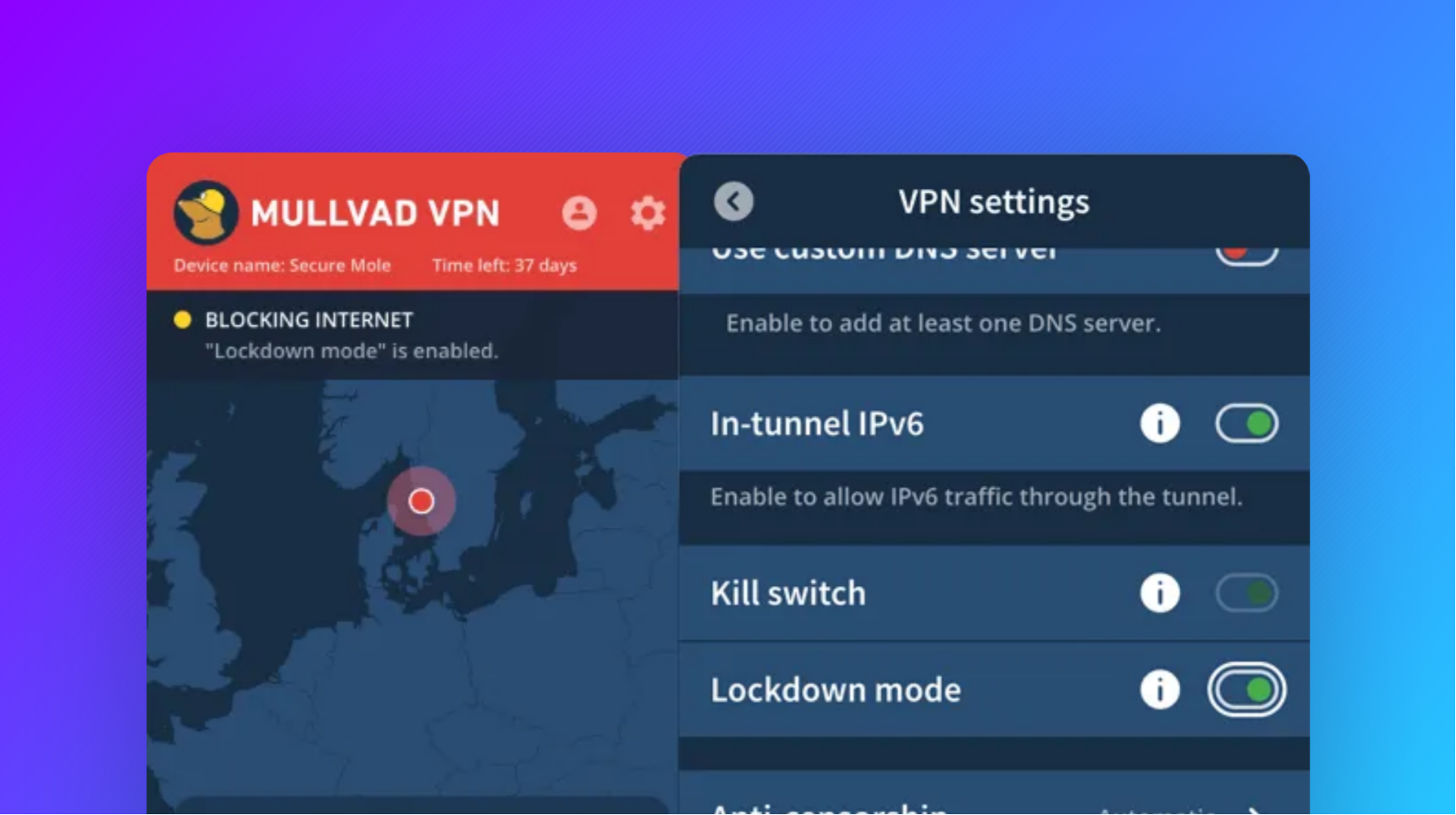
Mullvad's lockdown mode was the only kill switch implementation to pass every one of our tests, including persisting across reboots and sleep/wake cycles. Our packet capture detected no instances of IP or DNS leaks. This does not necessarily mean that the VPN will never leak, but it's a great result.
Mullvad pros
Beyond the functional kill switch, there's a lot to like about Mullvad as a company. It offers reasonable pricing at $5.79 a month regardless of how long you subscribe for, and excellent private payment options including crypto and cash.
In fact, privacy is strong across the service. User accounts require no personal information, operating purely from a user ID. It also promises no logging and backs this up with independent audits and an open-source VPN client. It's also the only VPN we tested with mitigations against AI-guided traffic analysis. Its DAITA feature promises to normalize the size of packets and generate dummy traffic to prevent AI from determining the websites you visit from the specific packet patterns they generate. We also found that it doesn't leak users' IP addresses or DNS queries during regular browsing, preventing man-in-the-middle attacks.
Mullvad cons
Mullvad isn't particularly fast. Our tests revealed a significant drop in download speed from 2000 Mbps to an average of around 600 Mbps when the VPN was enabled. That's plenty fast enough for browsing and streaming, but we'd assume those who pay for a gigabit internet package would want to take advantage of at least most of it.
The VPN also didn't make our best VPNs for streaming list because of its poor performance at avoiding blocks. We ran into occasional CAPTCHA issues and struggled to stream on Netflix, Disney+, and other services.
2. Windscribe VPN
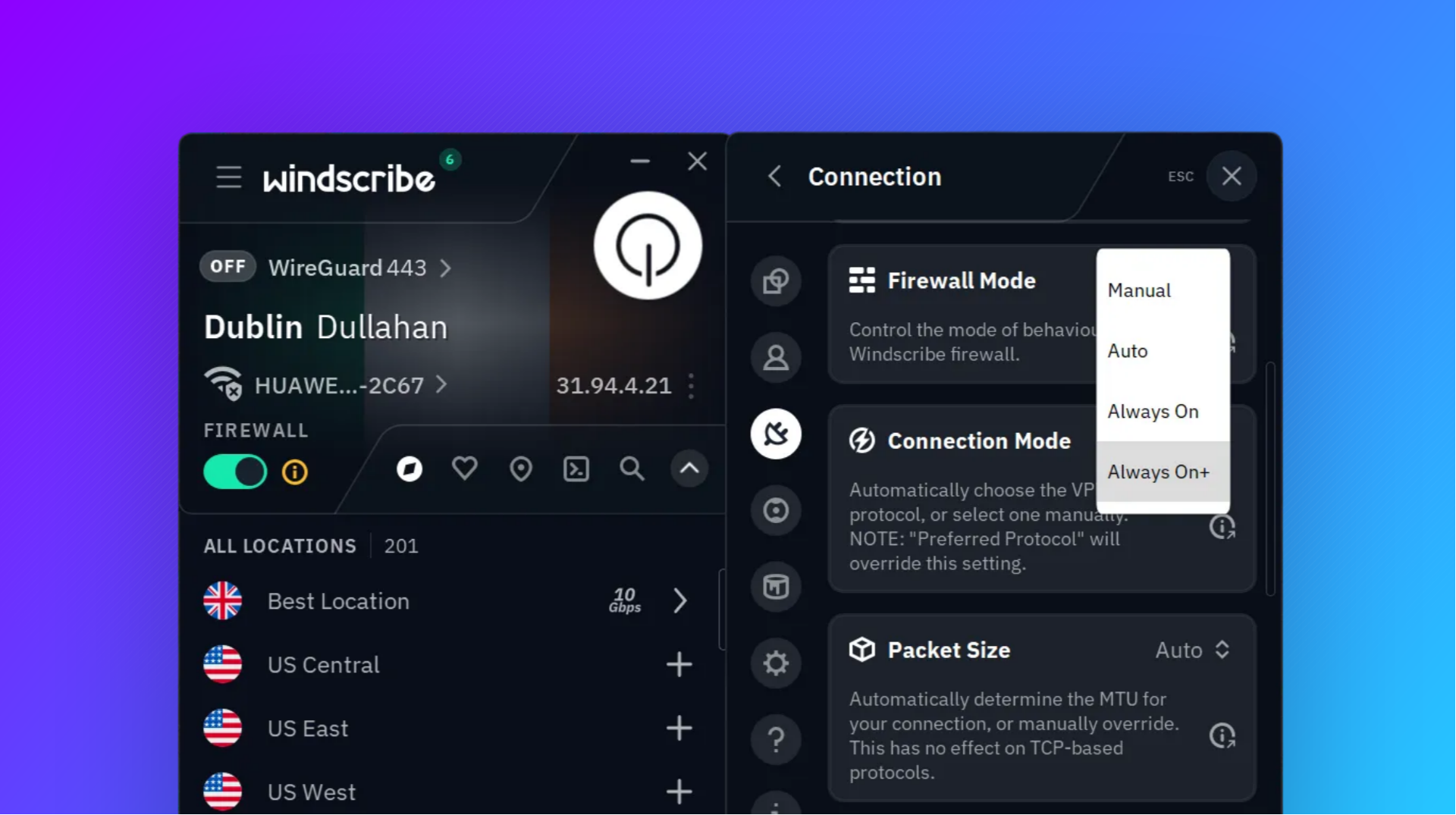
While Windscribe calls its kill switch a firewall, the intention is the same: to block connectivity outside of the VPN tunnel. We found its "Always on+" mode was indeed very effective at this, passing all of our tests, including process crash, outbound traffic loss, service stop, reboot, and sleep/wake.
There is one caveat, however. In our testing, Windscribe refused to reconnect after a process or service crash to regain internet connectivity until we rebooted, So, it passed the test, but not as conveniently as Mullvad.
Windscribe pros
Windscribe has a generous free tier of 10GB per month across 10 countries, which makes it a strong pick if you're looking for a VPN for occasional use and allows for extensive testing before you buy.
Its paid pricing is reasonable for a yearly plan at $5.75/month. Still, for that price you're getting a VPN that has a court- and audit-tested no-logs policy, good streaming capabilities, and an open-source app.
Windscribe also has some features uncommon in other VPNs. Its customizable, DNS-level ad blocker is a nice touch, as well as double multi-hop server routing, MAC spoofing, fingerprinting mitigation, and port forwarding.
Windscribe cons
We found Windscribe speeds to be inconsistent across locations. On a 2 Gbps connection, we benchmarked 1 Gbps in New York but 570 Mbps in Los Angeles and 490 Mbps in Texas. Speeds in Korea were poor at 83 Mbps, and we were never able to get close to the 10 Gbps advertised on any of its servers.
We weren't big fans of Windscribe's UX, either. While it looks nice, overuse of icons and auto-minimization made it a chore to use at times.
Ultimately, ~500 mbps is plenty for most people's use cases and UX is a minor niggle when most users will just be pressing "connect" and moving on with their day. Still, given Windscribe's more premium pricing, it's worth mentioning.
3. Proton VPN
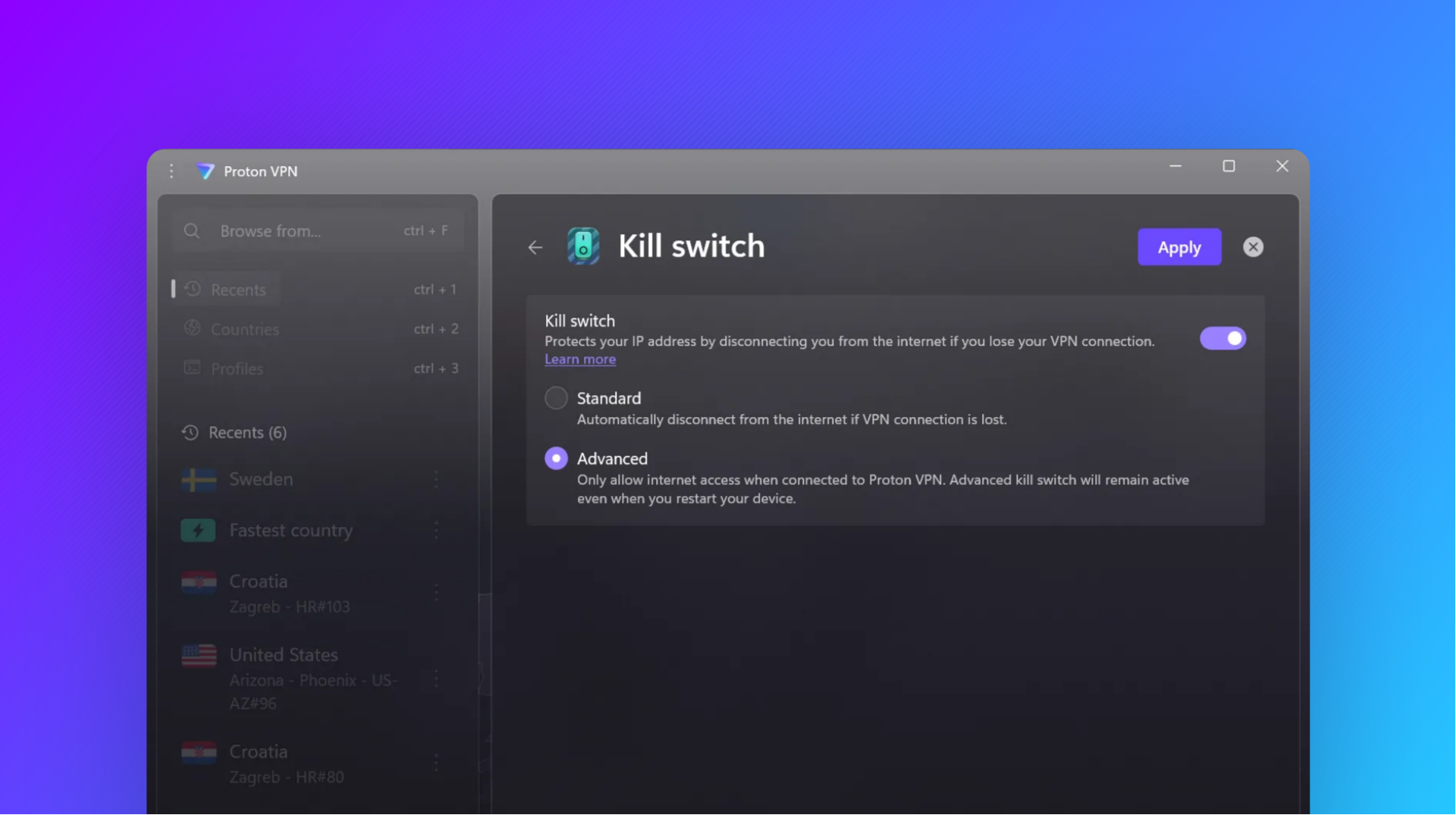
Proton VPN wasn't perfect from a kill switch perspective, but it didn't leak IPs on any of our tests, including on reboot and wake, which are the most common points of failure. While it did fail the app and background service crash tests, this was only due to DNS leaks to its own API servers, which won't be a major concern for many users.
Proton VPN pros
Proton VPN's biggest advantage is its ecosystem. Proton AG has a suite of privacy-focused tools beyond its VPN, including encrypted cloud storage, email, docs, as well as a password manager, an authenticator, a calendar app, a digital wallet, and video calling functionality. If you're interested in those other tools, they can be purchased in a bundle with the VPN for $9.99/month. Obtaining a full private suite for less than the price of some competing VPNs is incredible value.
Aside from that, Proton VPN has a great, intuitive UI and good speeds—our testing showed an average of 821 Mbps down and 511 Mbps up. It was also no slouch in the streaming world in our tests earlier this year. It avoided blocks across regions on HBO and Netflix but required a couple of server hops for Disney+ in some regions. It's worth noting that users report some variability in access to streaming services. This is common across all VPNs as IPs get blocked, but extended issues could signal Proton does not rotate its IPs as frequently as some other VPNs.
Proton VPN cons
Proton has a mixed reputation from a privacy perspective. While its technical side is good, it cannot ignore valid Swiss court orders and was forced to log and hand over the IP address and browser fingerprint of a French climate activist to the Swiss DoJ in 2021. This was despite its Privacy Policy claiming that it does not log ProtonMail IP addresses by default. The policy has since been modified.
It's worth noting, however, that Swiss law regarding VPNs works a little differently. Unlike other services, Swiss companies can not be legally forced to log VPN use. Proton explicitly says it does not log VPN use, including the websites you visit, IP address, session length, and so on. This is reinforced by independent audits and over 450 legally binding orders where Proton VPN was compelled to hand over identifying information and could not.
Proton has also been criticized for slow support response times in the past. This wasn't our experience, but it's worth keeping in mind if you're using the VPN for a business use case. Again, though, this primarily applies to its other apps.
4. Surfshark VPN
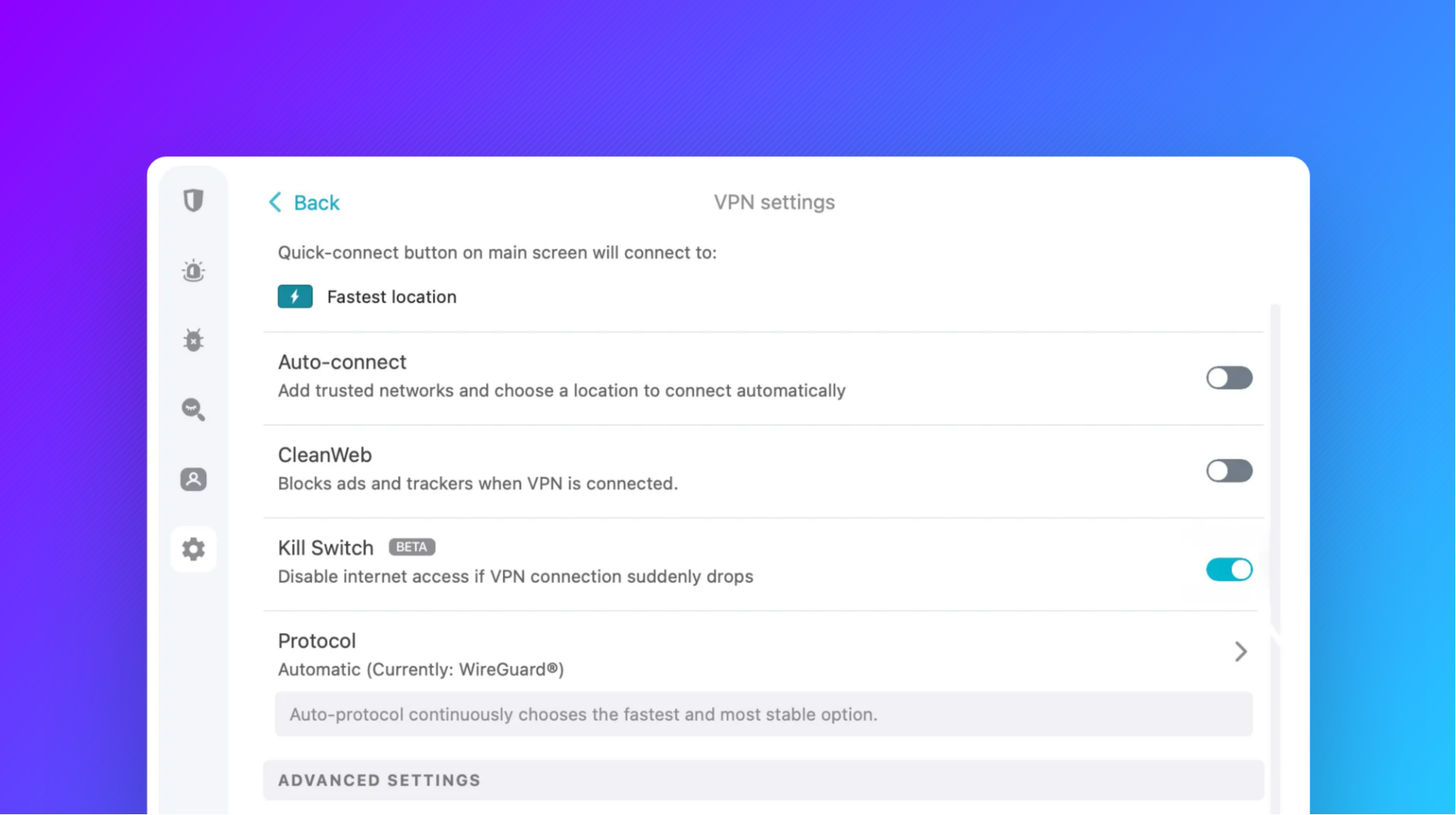
Surfshark's strict kill switch mode did not leak IPs during our tests. It did, however, experience DNS leaks after process crash, background service crash, outbound traffic block tests, and reboot. Again, though, these leaks were to Surfshark's API, likely to fetch the list of available servers or check the account status. This would allow the ISP to determine that the user is using a VPN and which one. We believe this is particularly relevant for Surfshark, for reasons we'll get into later.
Surfshark pros
Surfshark is cheap, allows for "unlimited" devices, and has all of the features you'd expect from a modern VPN, including ad/malware blocking, a stealth mode, multihop, split tunneling, and support for various protocols.
We also found it to be a good value option for streaming services, with no issues accessing Disney+, Netflix, HBO Max, or iPlayer across almost all regions. The only minor hiccup we experienced was trying to stream Disney+ on French servers, which took a few server switches.
We were also impressed by Surfshark's speeds. It was one of the fastest VPNs we tested, managing to reach 1.9 Gbps download on a 2 Gbps connection from our closest server. Its average speeds across regions also stacked up well, with only Korea struggling a little at 400 Mbps.
Surfshark cons
We don't love Surfshark from a privacy perspective. It runs extensive trackers on its site and can use that data for analytics and marketing.
While Surfshark's claim that it doesn't log your browsing activity is true, that doesn't mean it keeps no logs at all. According to its privacy policy, Surfshark keeps details about your connection on the VPN you connected to for 15 minutes after your session ends. This includes your user ID and/or IP address, as well as timestamps. This creates a potential path for an authority to link you to browsing activity. Theoretically, a law enforcement agency could request records from your ISP that would show you're using Surfshark via the DNS leaks we mentioned earlier. They could then request that Surfshark provides info on the VPN server you connected to before it expires, and cross-reference that data with a website's connection logs.
We experienced frequent CAPTCHA requests with Surfshark, to the point that it became frustrating. This is likely due to large numbers of VPN users being assigned to the same server and therefore sharing an IP address. A common feature of cheaper VPNs.
5. ExpressVPN
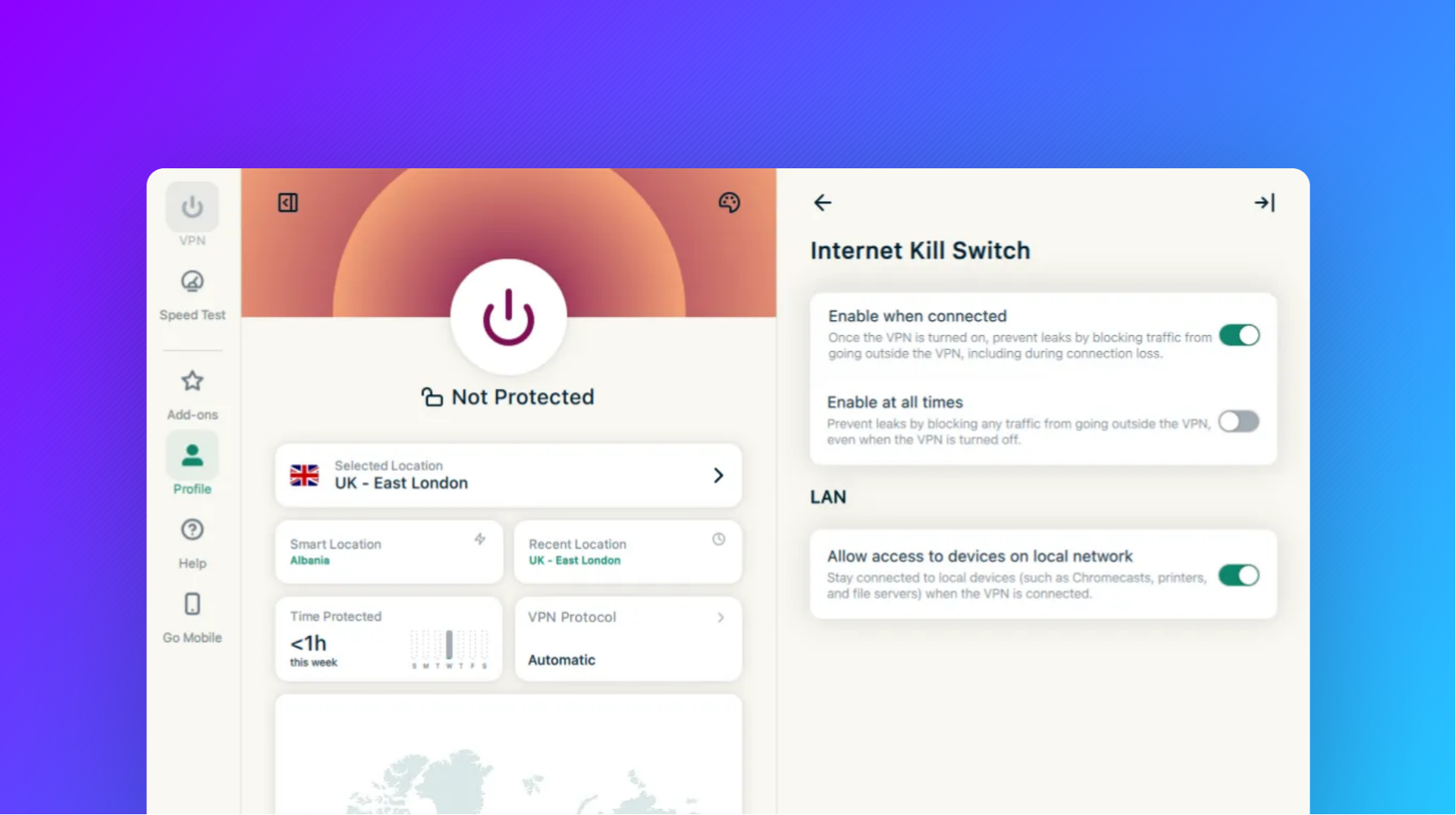
ExpressVPN's kill switch, which it brands Network Lock, claims that your data never travels outside of the VPN's encrypted tunnel. Unfortunately, our testing suggested otherwise. It leaked our real IP outside of the tunnel during our background service stop test. This is the most serious kind of leak, since it could reveal browsing habits.
The good news is that we didn't spot any leaks in our other tests, including during reboot, sleep/wake, and outbound traffic loss.
ExpressVPN pros
ExpressVPN topped our best VPNs for streaming list due to its ability to play content across Netflix, HBO, BBC iPlayer, and Disney+ without any hiccups. It also has a polished interface, supports P2P downloads, and a no-logs policy backed by independent audits.
ExpressVPN cons
ExpressVPN has questionable privacy practices beyond its no-logs policy, with trackers on its site and the sharing of personal information with third-party analytics platforms. It also doesn't support purchases using cryptocurrency, meaning users will always have to disclose their real name and address. Further, it's owned by Kape Technologies, a firm that is alleged to have spread malware and whose executives were alleged to have links with US and Israeli intelligence services.
In use and in our tests, we found ExpressVPN to have middling speeds. It came in at 600 Mbit across our tested regions, with a highest speed of 970 Mbit in Texas and a lowest of just 25 Mbit in Korea.
We're not a fan of ExpressVPN's pricing, either. It costs a whopping $15/month for its basic plan if you pay monthly — a truly extortionate amount given its cons. Prices only become reasonable if you commit to a year ($4.99) or two years ($2.99). This kind of decoy pricing is common across the VPN industry, but ExpressVPN's is particularly egregious.
6. NordVPN
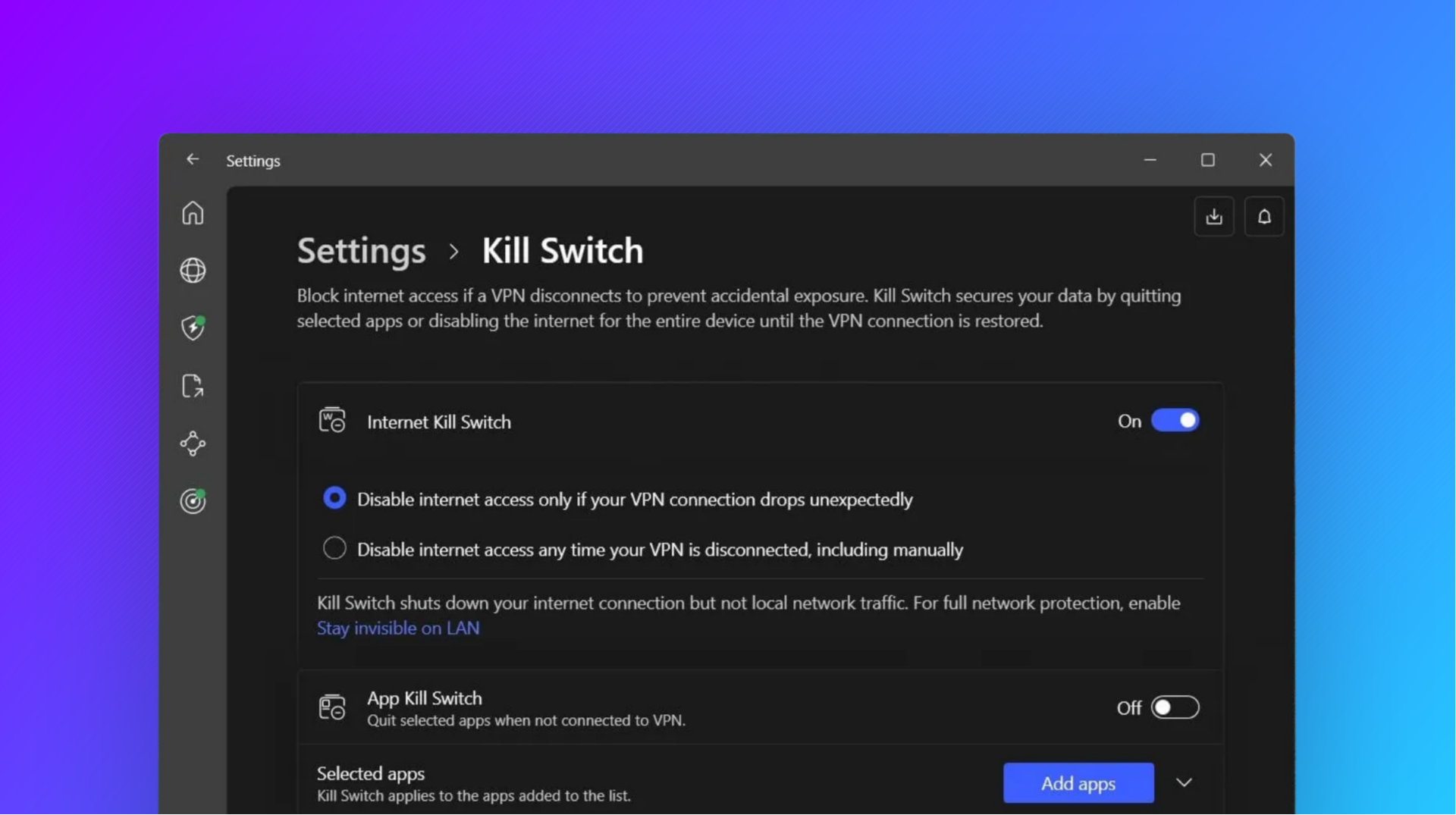
NordVPN is one of the most popular VPNs on the market, so we were surprised by its poor kill-switch performance. We found that when the app process crashed, the VPN forced us to disable the kill switch to log in to our Nord account on relaunch.
Naturally, in the gap between the kill switch being turned off and the VPN reconnecting, hundreds of packets leaked to the open internet, including to Cloudflare and Microsoft. A small saving grace here is that Nord lets you decide exactly when you want to disable the kill switch and complete the login process. This gives users the opportunity to prepare by closing sensitive applications and so on. However, some leaks are still ultimately unavoidable — loading the Nord browser page, Windows traffic, browser extensions, and so on.
Our automated tests also flagged intermittent IP leaks in other areas: during gateway interruption, adapter interruption, and tunnel traffic block. These did not occur every run, and we'd like to perform further manual testing before saying anything definitive here. Still, it's a major concern.
Nord VPN pros
Nord VPN was one of the fastest VPNs we tested, averaging 1500 Mbits across our tested regions thanks to its proprietary protocol. It exceeded 800 Mbit in all regions except Korea, where it was only 43 Mbit.
Nord VPN has a no-logs policy that has been independently audited. It uses volatile, RAM-based servers and is based in Panama, which has no data retention laws for VPN providers. It also accepts cryptocurrency for payment privacy, and offers specialty servers such as double VPN or Tor VPN for additional protection.
Finally, Nord has a visually polished UI that doesn't get in your way too much. While a couple of settings tweaks, such as the kill switch, took a couple more clicks than we'd like, there's not too much else to complain about in terms of UX.
NordVPN cons
Like many VPNs, Nord has what we'd consider anti-consumer pricing. The low advertised price is only available for long-term plans and jumps significantly on renewal, and it pushes a lot of bundled extras you probably don't need. It's also missing port forwarding, which makes it a poor choice if you need to download torrents at full speed.
Another aspect to highlight is Nord's heavy marketing presence and merger with Surfshark. Nord spends a huge amount of money on paid social media promotion, and its inclusion on "Best VPN" lists often comes down to this and its well-paying affiliate program, rather than genuine value. Of course, the 2022 merger with Surfshark follows a trend of consolidation in the VPN industry that will ultimately lead to fewer unique offerings and make it harder for new VPNs to break in.
Finally, Nord runs trackers and cookies across its products, including your visits to its websites, other pages you've visited, and the links you click. It also uses social media cookies, which typically report the websites you visit back to platforms such as Facebook and X. Nord shares this information with various third-party advertising providers. Its no-logs page, which says, "We do not track what you do online — it’s none of our business," could therefore be seen as misleading.
7. Private Internet Access
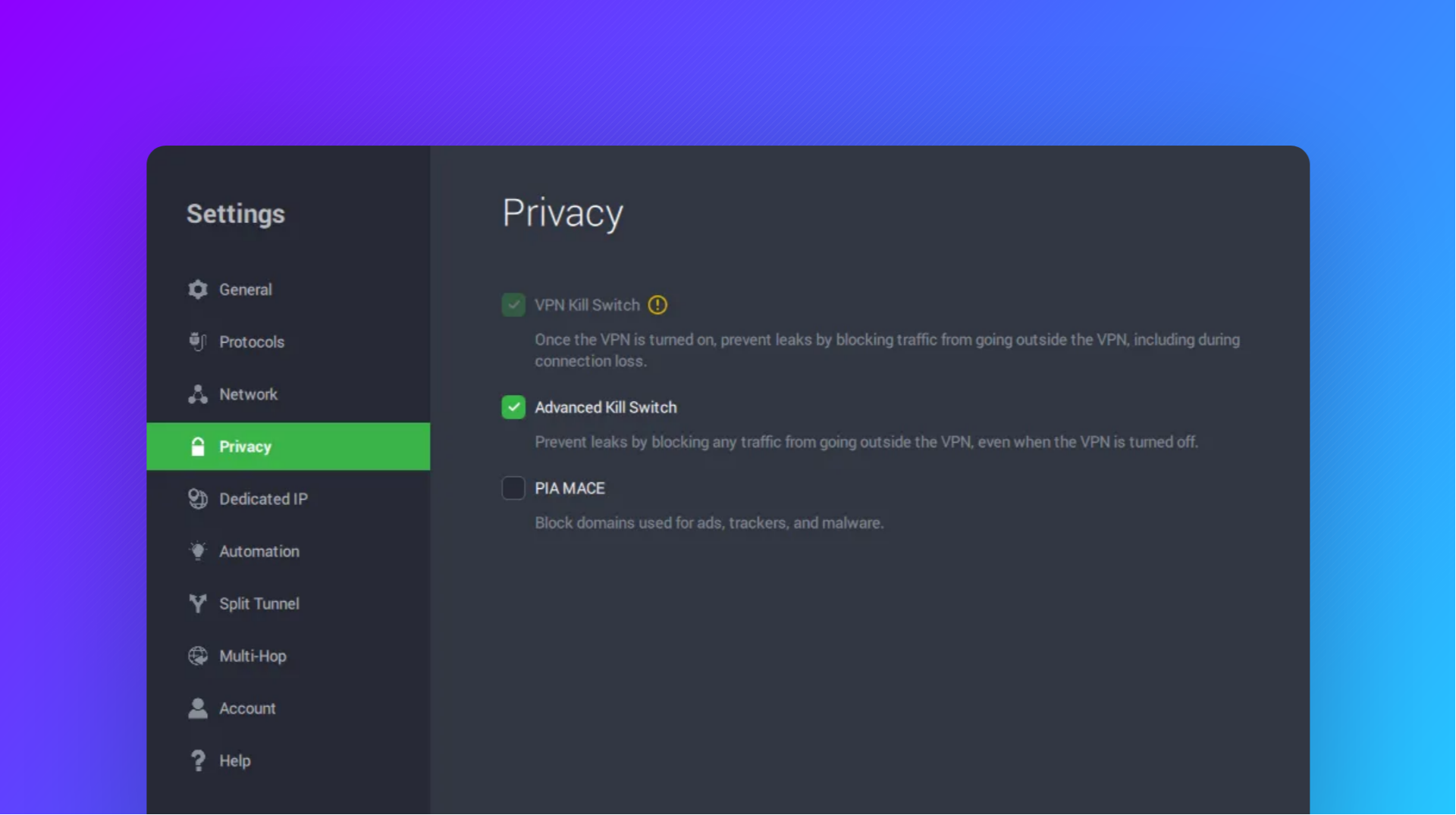
PIA's kill switch implementation is poor. It consistently exposed our real IP after a process crash, service stop, and reboot. It did, however, prevent leaks after sleep and when the adapter or gateway was interrupted. Even so, we can't recommend it to users performing sensitive tasks.
Private Internet Access pros
PIA's price is its biggest selling point, at just $2/month for its longest plans, with wide coverage and all of the standard VPN features. It also has a good history with logging: its no-logs policy has been independently audited and tested in court, where PIA was able to provide no identifying information.
Private Internet Access cons
You get what you pay for, ultimately. In our testing, PIA had underwhelming speeds, with an average of just 240 Mbit/s across the regions we tested. US speeds were a particular pain point — we measured just 18 Mbit in New York, 84 Mbit in LA, and 120 Mbit in Texas.
PIA doesn't play well with streaming services, either. Our tests picked up an almost complete inability to stream Disney+ while connected and a few reconnects needed for HBO Max and Netflix in some regions. The struggle to avoid blocking extended outside of streaming, where we ran into more CAPTCHAs and Cloudflare verifications than other providers.
Finally, there are ownership and location concerns with PIA. It's located in the USA, a Five Eyes and is owned by Kape Technologies, which reportedly has a sketchy background that includes adware and links to intelligence agencies.
How to choose the right kill switch VPN
You don't need to outright reject a VPN because it fails one or two of our kill switch tests. The important question is not "is the VPN's kill switch perfect?", but "is it suitable for my use case?".
For example, if you're only using a VPN intermittently for sensitive tasks, the kill switch failing on reboot probably won't be a major concern for you. Leaks during connection drops and process crashes will be more relevant. If you want 24/7 privacy, you'll have much stricter requirements, while if you're solely using a VPN to unlock streaming catalogs, the kill switch won't matter to you at all. So, ask yourself which situations you need protection in and whether the VPN meets those needs.
How can I test my VPN with a kill switch?
You can test many aspects of your kill switch with a site like VPN Kill Switch Test. Press "Get real IP", followed by "Start session", and then try switching servers, unplugging and replugging your internet, disconnecting or walking out of range of your Wi-Fi, toggling flight mode, and suspending/resuming your device. Alternatively, you can take these same actions with a WireShark capture running and keep an eye out for your real IP.
Reboot testing is trickier. Trying to capture leaks with WireShark on the same device would be difficult because you can't be sure it'll start in time to capture them. Instead, you'd want to plug your device into a network switch that mirrors the traffic to a different device running WireShark. That way, it's always watching, even when the test device loses power.
What you can do to prevent VPN kill switch leaks
No kill switch can be 100% guaranteed, but there are several approaches you can take to greatly minimize the risk of leaks. In order of effectiveness:
Move the VPN to your router
This is by far your best option, as it almost guarantees no leaks. Check to see whether your router supports VPNs, or if you can install an operating system such as OpenWrt or DD-WRT on it to enable the functionality.
Once the VPN is set up, you can configure the router to only route traffic through the VPN gateway. This leaves no path for traffic if the VPN tunnel drops, as well as no VPN client on your device to crash, and no reboot window. Your VPN is always on.
The downside to this setup is that it's more fiddly, you're limited to the protocols or servers your router supports, and you may lose some tertiary functionality available in the app. Still, if your primary concern is privacy, it's well worth it. Just pick a VPN that's good at avoiding blocks — since the VPN covers all your devices, you want to avoid issues with streaming services.
Pick a VPN with an OS or kernel-level kill switch
When you have the option in your VPN client, choose "always-on", "lockdown", or "firewall+", or "block all when connected". These settings aim to completely disable your internet if the VPN disconnects. Usually, they write deny-by-default rules into your firewall that persist past a system crash.
Add your own OS firewall rule as a backup
If your VPN uses an app-based kill switch instead of an OS-level firewall, you can create your own as a backup. In Windows, you can achieve this by:
- Connect to your VPN and run
Get-NetAdapter. Look for your VPN's tunnel adapter, which is usually named after your VPN. Note down the full name. - Pin a server in your VPN client and note down its IP address (e.g. 185.253.98.59). This means the client never needs to resolve DNS outside the tunnel, which can cause leaks.
- Run the following commands, changing "YourVPNTunnelName" and "your.vpn.server.ip" for the details you noted down earlier.
New-NetFirewallRule -DisplayName "KS-Allow-Tunnel" -Direction Outbound `
  -InterfaceAlias "YourVPNTunnelName" -Action Allow
New-NetFirewallRule -DisplayName "KS-Allow-VPNServer" -Direction Outbound `
-RemoteAddress your.vpn.server.ip -Action Allow- Optionally, run the following commands to keep LAN connections and DHCP working:
New-NetFirewallRule -DisplayName "KS-Allow-LAN" -Direction Outbound `
  -RemoteAddress LocalSubnet -Action Allow
New-NetFirewallRule -DisplayName "KS-Allow-DHCP" -Direction Outbound `
-Protocol UDP -LocalPort 68 -RemotePort 67 -Action Allow- Create your kill switch rule by running:
Set-NetFirewallProfile -Profile Domain,Public,Private -DefaultOutboundAction BlockWith the VPN connected, you can now test your kill switch.
Finally, keep these commands handy in case you need to revert the kill switch if you change servers or uninstall:
Set-NetFirewallProfile -Profile Domain,Public,Private -DefaultOutboundAction Allow
Get-NetFirewallRule -DisplayName "KS-*" | Remove-NetFirewallRule
If you're on Linux, the equivalent to this is iptables or ufw.
Close the usual leak candidates
There's no use ensuring a perfect kill switch if you neglect to fix the common ways VPNs leak data while connected. Disable IPv6 if your VPN doesn't support tunneling it, check for and patch WebRTC leaks, and turn off DNS over HTTPS or Secure DNS in your browser. Also make sure you're not using any antivirus software that changes your DNS, and that you haven't enabled DNS over HTTPS in Windows settings.
 bitlaunch
Use a multi-hop or relay VPN
Multi-hop or relay VPNs improve privacy by routing your traffic through two or more servers, with each not having a complete picture.
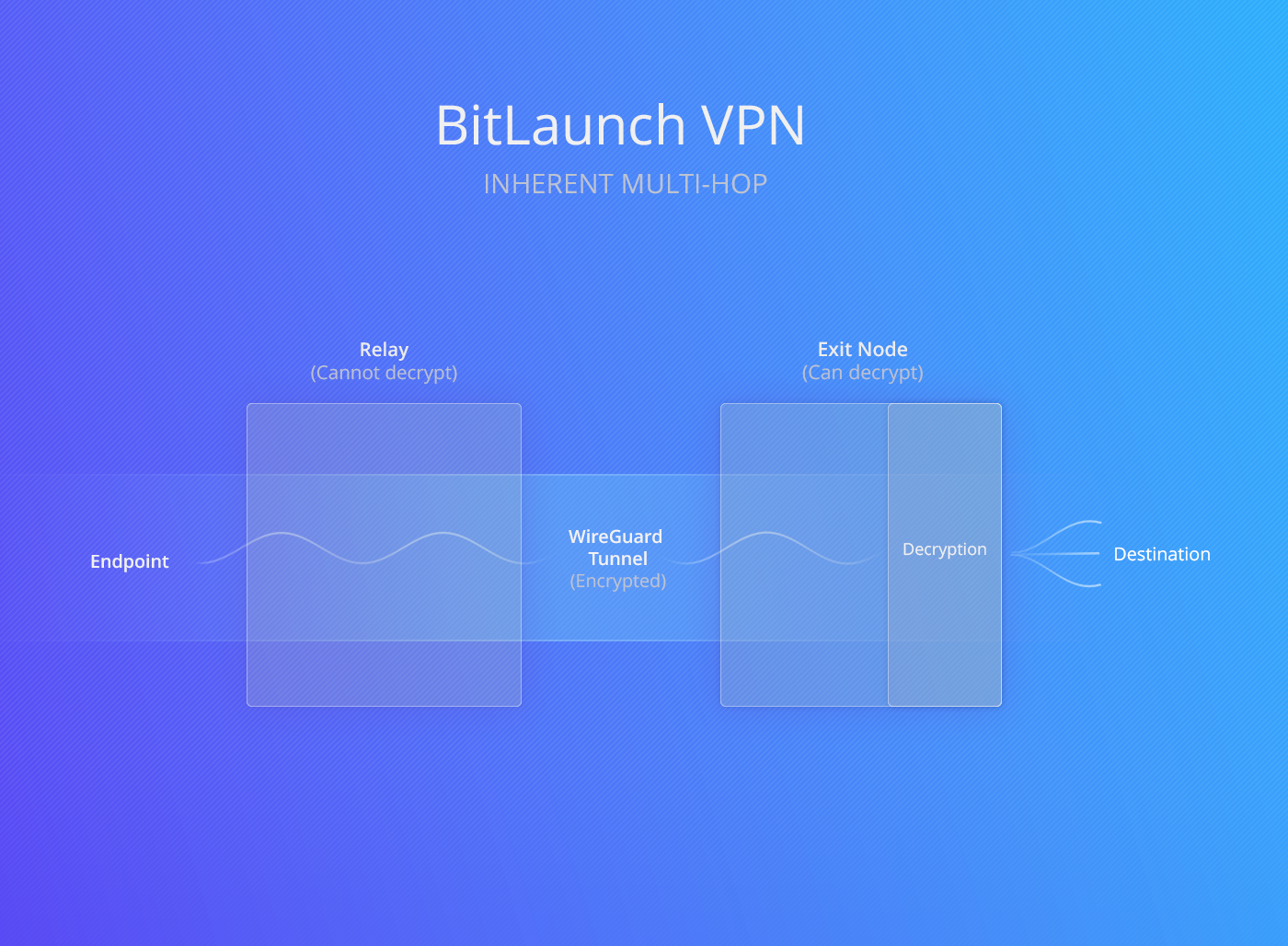
BitLaunch VPN, for example, uses a relay architecture in which only the first server knows your IP address, and only the second server knows your traffic's destination. This helps to prevent advanced traffic correlation attacks, adds an additional layer of encryption, and means that if one server is compromised, the attacker only gets part of the picture.
Alternatively, you can set up your own VPN on VPS infrastructure quite easily. This way, you can personally check to ensure no logs are maintained.
Does a good kill switch equal privacy?
A good VPN kill switch is just one small aspect of VPN privacy, which is in itself just a part of your overall privacy posture. A VPN is primarily designed to prevent snooping on your network and hide activity from your ISP. A good kill switch helps with that by stopping some leaks, but you still need to implement the common mitigations mentioned in the section above to prevent DNS leaks.
The other aspect a VPN can't account for, however, is which services you're signed into and what information you have provided them. If you're signed into Gmail, activate a VPN, and the client sends or receives data, Google can potentially see that John Smith with the normal IP address 32.128.45.1 sent an email from the same browser fingerprint with VPN IP 185.243.98.59. It may also be able to track you with that IP across sites through Google Analytics embeds and cookies. Of course, unrelated sites would still see your VPN IP and not your real identity, but if your goal is to hide your browsing activity from advertisers, social media companies, or law enforcement, this is a common pitfall.
For the best privacy, a VPN therefore needs to be combined with other measures. Tracker-blocking extensions for your browser are a major one, as well as signing up for services that value your privacy and don't ask for personal information. If you're doing something particularly sensitive, however, the best course of action is always a dedicated device on a privacy-focused OS that is logged into no accounts that use your real name.
 bitlaunch
For most people, this will be too much expense or too much hassle, but that's where renting a privacy-focused VPS can be very useful. It allows you to quickly spin up a desktop in any location, install an additional VPN as you wish, and pay only for the time you use. Just ensure that you're using a provider that allows you to pay without disclosing PII and that you set your server up properly to maintain privacy.
Sign up for BitLaunch today for a privacy-respecting VPS server with built-in VPN options. Our support team will be happy to provide you with some free credit.
FAQs
What's the difference between a kill switch and split tunneling?
A kill switch prevents any traffic from leaving your device when you lose connection to a VPN server. Split tunneling, meanwhile, lets you decide which applications should use the VPN connection and which shouldn't.
While they serve different functions entirely, it can be useful to configure split tunneling if you're using a kill switch. For example, if you have an application that doesn't need to be VPN encrypted but must be live all the time, split tunneling should ensure it doesn't drop its connection when the kill switch engages.
What are the risks of using a VPN without a kill switch?
The main risk is leaking your real IP or unencrypted traffic if your app or its process crashes, you lose VPN connection, or restart your PC. This could allow your ISP to determine the websites you're visiting, platforms to more easily track you, and attackers on your network to intercept your traffic.
Is a VPN kill switch available for all devices?
If the VPN provider adds support, VPN kill switches work on most devices, including desktop, phones, tablets, routers, and laptops. Android and iOS have built-in kill switch settings VPN providers can take advantage of.
More niche devices such as 3D printers, e-readers, and smart devices probably won't support a kill switch, but they also won't support a VPN in general. The best thing you can do to protect these devices is to install a VPN on your router and configure traffic to only flow through it.
What's the best VPN with a kill switch on Android?
Because Android limits what apps can do, all VPNs use the same OS-level functionality to enforce their kill switch. The answer therefore boils down to what the best overall VPN is for your use case. For most users, we think that will be Proton, Windscribe, or ExpressVPN.
What's the best VPN with a kill switch on Linux?
Probably Mullvad or Proton. Both have very good Linux clients and use the same firewall-based mechanism to enforce their kill switch.
What's the best VPN with a kill switch on iOS?
Much like Android, all iPhone VPNs use the same features to enforce their kill switch, so it comes down to overall VPN performance, privacy, and security. Proton VPN, Nord VPN, or Mullvad are all good choices here.
Are there any good free VPNs with a kill switch?
Yes. Proton VPN and Windscribe both have free plans with robust kill switches. Of the two, Proton's free plan has fewer restrictions — Windscribe limits you to 10 GB/month, while Proton only limits the servers you can use.
Does a VPN kill switch block all internet traffic?
If it's working properly, a VPN kill switch will block all internet traffic when the VPN is not connected. Some clients give you the option to enforce a kill switch only when the VPN app is running, but this is much more prone to leaks.
What to do if the VPN kill switch is not working?
Ensure all of your settings are correct, including disabling IPv6 if your VPN doesn't support tunneling it, as well as DNS over HTTP and WebRTC.
If the kill switch is still leaking, implement your own via firewall rules or move your VPN to the router (if it supports it).
Why does a VPN connection drop?
There are many reasons a VPN connection can drop, from the VPN server itself having an outage, to your app crashing, another process interfering with the network adaptor, aggressive power-saving features, and outdated software.
Should you resume downloads automatically at startup?
If you use a VPN and care about your download privacy, no. Automatically resuming downloads increases the chances of a kill switch-related leak, since the VPN process often hasn't started before traffic is transmitted.