
The Domain Name System (DNS) forms a key part of the modern internet. It allows users to enter a memorable domain name (bitlaunch.io) and have a remote server convert it into the machine-readable numerical IP address (172.66.41.25) necessary to fetch the content.
A user's Internet service provider (ISP) typically handles this process silently and almost instantaneously. But while some ISPs are more trustworthy than others, user privacy is rarely their primary objective. Many are legally required to log these DNS requests and may provide them to law enforcement or even sell them to advertisers. This is very important to be aware of since DNS request logs detail every website you have visited, when, and from which IP address (device). Your DNS resolver can also block access to certain websites.
 bitlaunch
Want to host your own DNS server? Here's our roundup of the best VPSs for privacy.
Thankfully, ISPs aren't the only option for resolving DNS requests. Changing DNS servers only takes a few clicks, with several providers that promise greater privacy, security, and performance. We'll round up the best DNS servers for privacy in the guide, covering:
- What is a private DNS?
- What is the best DNS server for privacy?
- The gold standard of privacy DNSs
- DNS resolvers that will be private enough for some
- DNS resolvers we can't recommend for privacy
- What is the fastest private DNS?
- Use our DNS speed test tool
- How to host your own DNS services
- How to set up a PiHole + Unbound VPN server
- Setting up a recursive DNS on a VPS
- Final steps and further reading
- FAQs
What is a private DNS?
A privacy DNS is intended to protect you against your ISP analyzing and misusing DNS requests by sharing the websites you visit with advertisers or government agencies. Encrypted DNS can also help prevent your DNS requests from leaking or being tampered with by attackers. Some DNS providers also filter out malicious or harmful sites.
Private DNS resolvers do not protect you from the following:
- The website from knowing you visited it.
Your browser connects directly to a site when it loads it. A DNS, therefore, won't hide your visit from the website owner. - Your IP address from being exposed.
DNS resolution is just one way that your IP address is exposed. To reliably hide your IP address from sites, you need a VPN. - Advanced censorship and blocking.
If your ISP blocks websites at the network level, changing your DNS won't help. - All Website trackers.
Cookies and trackers can still follow you across the web unless you take additional precautions, such as using a privacy browser.
In short, a privacy DNS hides the sites you ask for, but not what happens after that point.
What is the best DNS server for privacy?
Privacy DNS services, more technically known as public recursive name servers, are a relatively new concept. They are fundamentally built on the promise that they will have limited logging and will quickly wipe all DNS queries from their database after use. Beyond that, however, there can be significant variation in feature set, reputation, performance, anonymity, and more.
We've taken the time to assess each of them so that you can find the best for your needs. Or, if you're in a hurry, reference the table below:
| DNS Provider | Primary DNS (IPv4) | Secondary DNS (IPv4) | Key Privacy Features | Security Focus | Performance Notes | Key Drawbacks |
|---|---|---|---|---|---|---|
| AdGuard DNS | 94.140.14.14 | 94.140.15.15 | No sharing/selling of data, optional logging, DoH/DoT/DoQ/DNSCrypt. | Ad/tracker/malware blocking, optional adult content filter. | 15+ global locations, fast response times. | Logging in some modes, payment data collected, potential website breakage. |
| Applied Privacy DNS | 146.255.56.98 | DoH/DoT only | No logging, DoH/DoT, DNSSEC, QNAME minimization, non-profit. | No filtering or blocking. | Vienna only. ~65–70ms in Europe. | Single location, donation-funded (~€260/mo), no plain DNS. |
| CIRA Canadian Shield | 149.112.121.10 | 149.112.122.10 | DoH/DoT, DNSSEC, QNAME minimization, no data resale. | Optional malware/phishing blocking, family filters. | 11.8ms in Toronto. Poor outside Canada. | Stores IPs 24h, Five Eyes (Canada), Canada-only focus. |
| CleanBrowsing | 185.228.168.9 | 185.228.169.9 | Free tier: no logging, NXDOMAIN without tracking, DoH/DoT/DNSCrypt. | Security, adult, and family filters. | Anycast network, low latency, DNSSEC enforced. | No audits, US (Five Eyes), long paid-user retention, no crypto. |
| Cloudflare | 1.1.1.1 | 1.0.0.1 | Logs deleted in 24–25h, DoH/DoT, QNAME minimization, annual audits. | Optional malware/adult blocking (1.1.1.2/1.1.1.3). | One of the fastest globally, high uptime. | No manual blocking, US (Five Eyes), potential ISP blocking. |
| Control D | 76.76.2.0 | 76.76.10.0 | Free tier: no logs/timestamps, custom EDNS subnet, DoH/DoT/DoQ. | Ad/tracker/malware blocking, parental controls, proxy (paid). | Anycast, fast globally, many locations. | Logs source IP on premium, Five Eyes (Canada), Posthog analytics. |
| DNS.SB | 185.222.222.222 | 45.11.45.11 | No query logging, DoT/DoH, DNSSEC, QNAME min., yearly transparency report. | No blocking or filtering. | 30 locations, 6 continents. <5ms in some cities; variable elsewhere. | No customization, commercial operator (xTom), 5-eyes umbrella. |
| DNS4EU | 86.54.11.100 | 86.54.11.200 | GDPR-compliant, IP anonymized via HMAC, EU-funded, DoH/DoT. | Optional malware, child protection, ad blocking variants. | 1–2ms unencrypted in Europe, ~45ms DoH. | Europe only, stores anonymized metadata 6 months, Whalebone-operated. |
| FFMUC DNS | 5.1.66.255 | 185.150.99.255 | No logging, no tracking, DoH/DoT/DoQ, DNSSEC, QNAME min., non-profit. | No native filtering. Guides for AdGuard Home/Blocky. | Europe only. 20ms median unencrypted. | EU servers only, grassroots non-profit, no filtering. |
| Google Public DNS | 8.8.8.8 | 8.8.4.4 | Logs IPs 24–48h then anonymizes, no ad targeting from DNS, DoH. | Basic security only. | Fast, reliable, extensive global network. | Data collection concerns, US (Five Eyes), no content filtering. |
| Mullvad DNS | 193.138.219.74 | 193.138.218.74 | No logging, RAM-only servers, regular audits, DoH/DoT. | Ad/tracker/malware blocking. | Fast, especially with WireGuard VPN. | Smaller network, limited customization, 14-eyes (Sweden). |
| NextDNS | 45.90.28.0 | 45.90.28.255 | User-controlled logging, no data sales, QNAME min., DoH/DoT/DoQ. | Ad/tracker blocking, threat blocking, parental controls. | Anycast network, generally reliable. | Free tier 300k query limit, setup complexity, VPN conflicts. |
| OpenDNS | 208.67.222.222 | 208.67.220.220 | Data may be used for business operations, DoH/DoT. | Customizable filtering, phishing protection. | High-speed, global infrastructure, large caches. | May log activity, limited privacy, expensive premium, NXDOMAIN redirects. |
| Quad9 | 9.9.9.9 | 149.112.112.112 | No IP logging, GDPR compliant, DoH/DoT/DNSCrypt. | Blocks malicious domains via threat intelligence. | 200+ locations, 90 nations, fast and high uptime. | Limited customization, no manual filtering, possible false positives. |
| UncensoredDNS | 91.239.100.100 | 89.233.43.71 | Zero logging, warrant canary, DoH3/DoT/DoQ, DNSSEC, QNAME min. | No filtering — anti-censorship only. | 4 servers (3 Denmark, 1 US). 15th/17th in tests. | Single operator, no filtering, poor global performance. |
| Wikimedia DNS | 185.71.138.138 | DoH/DoT only (no plain DNS) | No logs, DoH/DoT only, QNAME min., DNSSEC, non-profit. | No filtering — censorship-free access. | 9.3ms Singapore, 9.8ms Amsterdam; >200ms in many others. | No plain DNS, no filtering, inconsistent global latency. |
The gold standard of privacy DNSs
We consider four DNS providers to be sufficiently private for our recommendation. Our criteria include:
- Support for DoH/DoT or other encryption protocols
- Query name (QNAME) minimization, which reduces the information passed to other servers in the chain
- No clear commercial interests that are opposed to anonymity
- No user-identifying logs of DNS requests on their public DNS
- Minimal or no personally identifiable information (PII) collected/stored, according to their privacy policy
We have not included performance in this criterion, as it is highly location-specific. It's rare to find a DNS provider that doesn't have high latency for some users. It has, however, helped to inform placement on this list.
1. Quad9
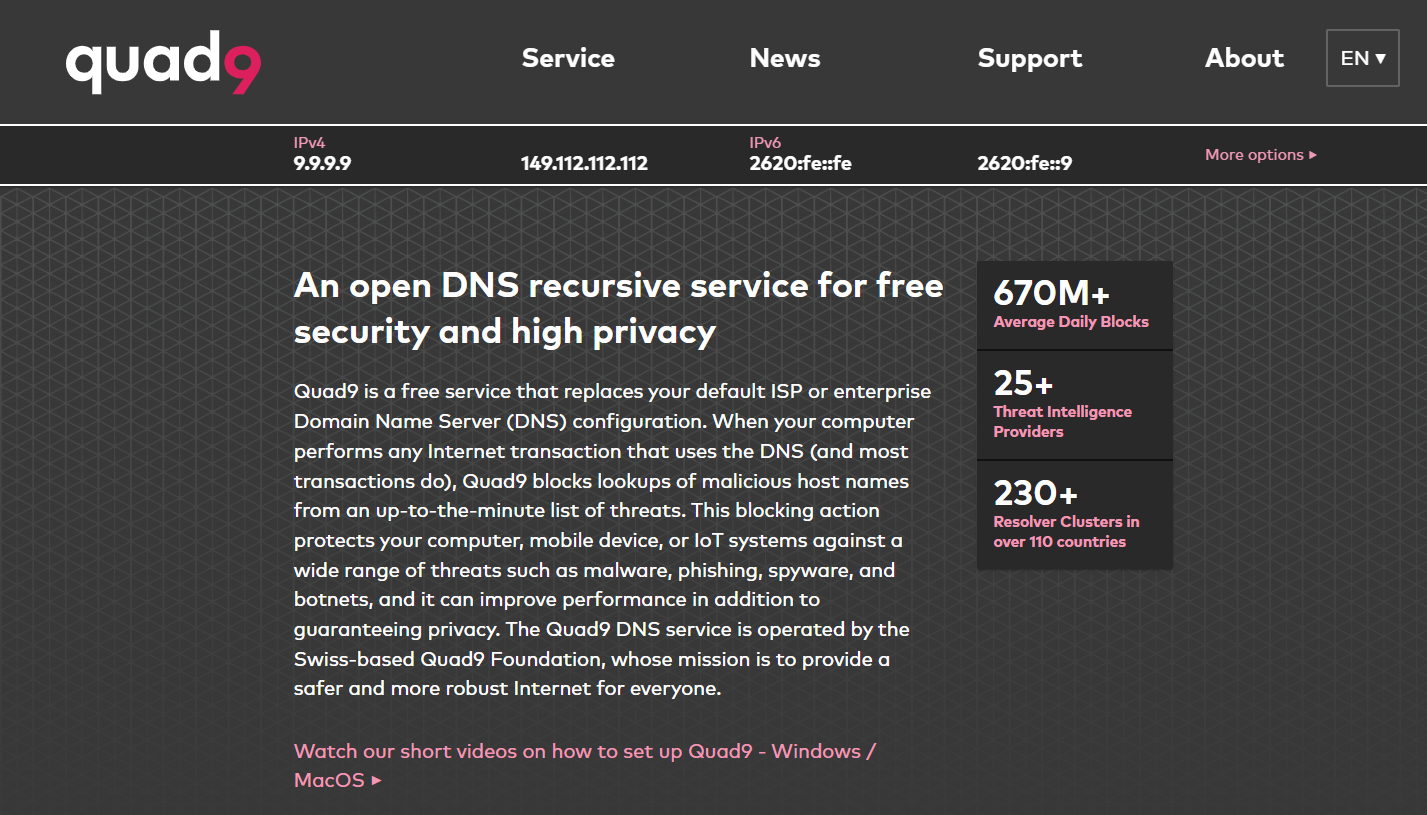
Quad9 (9.9.9.9) is a Swiss non-profit founded in 2016 by Packet Clearing House, IBM, Global Cyber Alliance, and SWITCH. In terms of privacy, it does everything right. There are no obvious commercial interests, generous Swiss privacy laws, and a promise to never log any data containing users' IP addresses or PII in its systems. Instead, it stores the "reply to" address in RAM and does not send it to any third parties. Furthermore, it promises that if a country were to compel it to deanonymize users, it would withdraw from that country and offer its services from nearby countries instead.
Quad9 also has several useful security features. It maintains and blocks a real-time list of malicious hostnames while using standards-based cryptography, DNSSEC, and ECS. It has high-performance servers in over 200 locations across 90 nations.
Quad9 downsides
Quad9 is not highly configurable, with no option to manually configure blocked websites or other parameters (although you can choose whether to use DNSSEC and ECS). This can be problematic if the service blocks a domain that it considers malicious, but you want to access. There is also no ad or tracker blocking to speak of — DNS request privacy is exclusively the focus here.
Additionally, while Quad9 has good coverage, it is not comparable to giants such as Cloudflare or Google. You may experience higher latency in some regions of Africa, Asia, and Russia due to the limited availability of nearby servers. If you live in Europe or the US, however, Quad9 is fast and clearly one of the best choices of DNS server if privacy is your priority.
2. Mullvad DNS

Mullvad is a well-established VPN provider based in Sweden with a good reputation for privacy. Its public DNS service is intended to enhance the privacy of non-VPN users, with features such as DoH and DoT designed to prevent third-party snooping.
Mullvad DNS has basic content, ad, tracker, and malware blocking features, with users able to choose which of these features to enable. It also uses QNAME minimization to provide less information to DNS servers in the query process. Its DNS resolution is generally fast.
Mullvad states clearly that it does not store any activity logs of any kind. This includes traffic, DNS requests, connections, IP addresses, user bandwidth, and account activity. It does not ask for a username, password, or email address to use its DNS or other services. It does not have a paid DNS service and therefore does not collect user payment information. It may collect the payment information of its VPN users as is legally required, but does provide options to pay with cryptocurrency or even cash.
Mullvad regularly has third-party audits. This includes audits of its security, infrastructure, account and payment services, DNS servers, and log keeping. It states that it is prepared to shut down its service should a government succeed in legally forcing it to spy on its users, and its DNS servers run in RAM. As a result, there should not be traces of DNS requests left on disk.
Mullvad DNS disadvantages
Mullvad is based in Sweden, which is part of the 14 Eyes surveillance-sharing agreement. Most of Sweden's surveillance legislation does not apply to Mullvad and does not allow the government to spy on its users. However, it may be compelled to hand over information it has about a person if presented with a valid request from Swedish or foreign authorities. Law enforcement may also be able to seize computers. It's worth noting that Mullvad has been raided by law enforcement in the past, but its computers did not surface anything useful.
Mullvad DNS performance is likely to be slow in Africa and some parts of Asia due to a lack of infrastructure there. It also does not have advanced customization options, with users unable to manually whitelist or blacklist sites.
Overall, Mullvad is an excellent choice for a privacy DNS. Though it is a shame that it's headquartered in a 14-eyes country, court cases show that it has not had any information to hand over when previously compelled by warrants.
3. DNS.SB
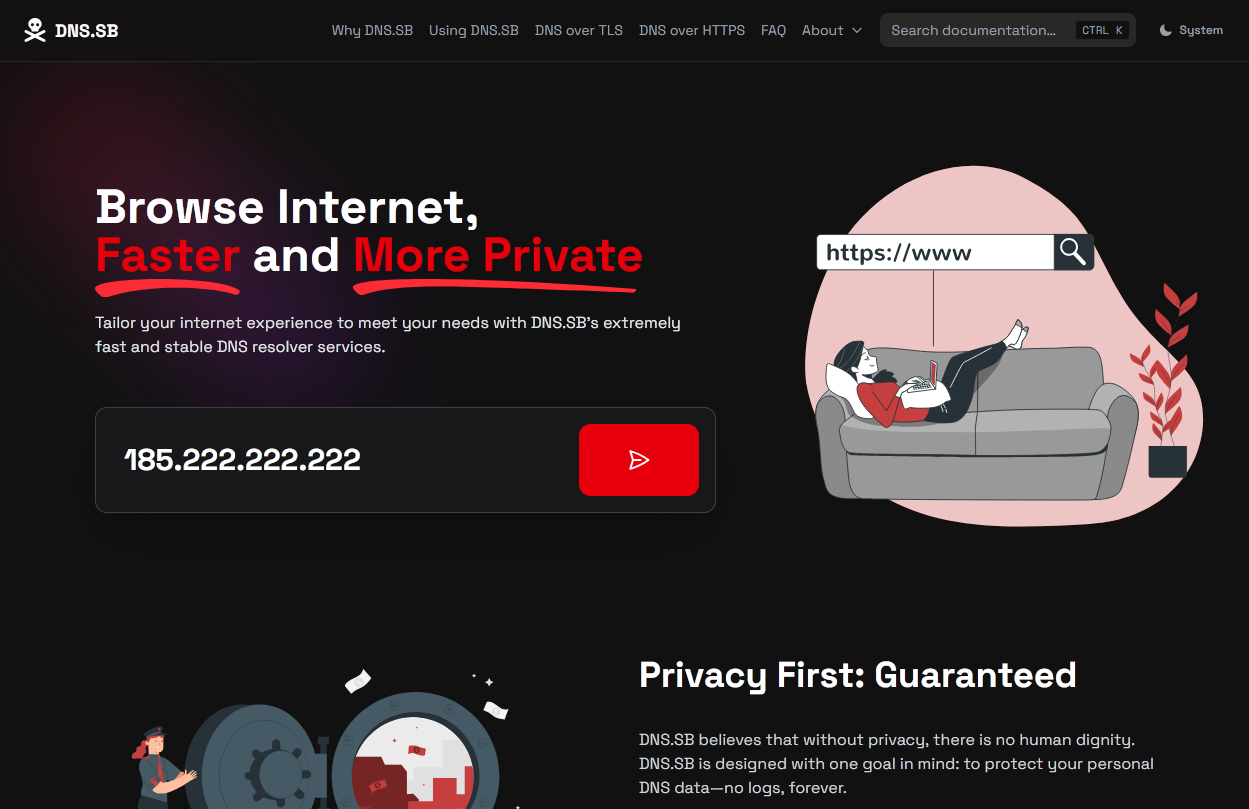
DNS.SB is a privacy-focused resolver built on top of xTom's Anycast network. Its eye-catching branding promises to put your privacy first on a technical level, while being fast and having a wide reach (6 continents).
While the technical details on its homepage are sparse, digging into its documentation reveals promises of not logging any DNS queries, support for DoT and DoH, DNSSEC validation, query name minimization, and minimal blocking or filtering. It also publishes a yearly transparency report that lists the number of government requests and responses. So far, it has not received any. Last but not least, it's entirely free for personal and non-commercial use. Very promising indeed.
DNS.SB downsides
DNS.SB isn't customizable. You can't set custom block lists or parental controls. It also doesn't block ads, malware or phishing sites. This barebones approach allows it to offer DNS without account creation and with no logging, but it might make it unsuitable for some users.
Additionally, while its reach of six continents is impressive, the overall number of locations (30) is still on the smaller side. This shows in its speeds: our 22-location speed test ranked it 8th-slowest among the 17 providers tested. The caveat, however, is that speeds were excellent in some countries. Tokyo, Bucharest, Stockholm, and Frankfurt all fell under the <5ms mark.
DNS.SB is operated by a German hosting company, xTom GmbH. While not a major concern, we prefer DNS services that aren't linked to a commercial entity—this increases the risk of future data collection and monetization. Germany is also part of the 5-eyes surveillance umbrella, and the resolver can likely be compelled by a government agency to hand over user data. DNS.SB claims this is a moot point because it uses only "privacy-focused" trackers that collect aggregate data.
4. DNS4EU
DNS4EU has stepped in to fill the European void after the unfortunate shuttering of DNS0. As you would expect, it has good coverage across Europe, with servers throughout the continent and a particularly strong cluster in Eastern Europe, which is often neglected. Our unencrypted speed test measured latency of just 1-2ms in many European countries, which is truly excellent. With DoH encryption in the mix, it presents ~45ms average across Europe, which is plenty good enough for non-latency-sensitive tasks.
The trump card in DNS4EU's deck, however, is its official support from the European Union. Partial funding from the political entity should make it a resilient, fully GDPR-compliant DNS for years to come. Aside from EU involvement, it's operated by a consortium of European infrastructure companies, which should provide it with expertise and resilience against both closure and sudden adverse changes. Of course, we would prefer to have no corporate influence in our resolvers, but we believe DNS4EU has struck an okay balance here.
DNS4EU downsides
As the name suggests, DNS4EU is firmly a European project, and as such it has no infrastructure outside of the continent. It will have poor ping in other parts of the world, and this will likely affect page load times and latency-sensitive tasks such as gaming in those regions.
The other downside is data collection. While it's true that the resolver does not collect private data, that doesn't mean it collects no data. After scrambling the user's IP in memory, the service collects DNS queries, resolver responses, query type, timestamp, resolver identifier, ASN identifier, content type (where content blocking is enabled), TTL, and more. It stores this data for up to six months for threat intelligence research.
The way the data is collected is important, however. Data is hashed/bucketed to ensure that no per-query, per-user record exists. Should law enforcement or another party get hold of the data, it would be difficult, bordering on impossible, to link it to a real user — even when correlating it with logs from other services. That said, we'd always prefer for this data to not be retained at all or be opt-in. As a threat intelligence firm and consortium leader, Whalebone clearly benefits commercially from this data, which does make us a little uneasy, even if it's not personally identifiable.
Honorable mentions
The four resolvers below clear every one of our privacy criteria too. They sit outside the ranking above only for practical reasons — limited geographic reach, very small infrastructure, or a single point of failure make them hard to recommend as an everyday global resolver — but each is an excellent pick if you're in the right region or share its non-profit ethos.
Wikimedia DNS
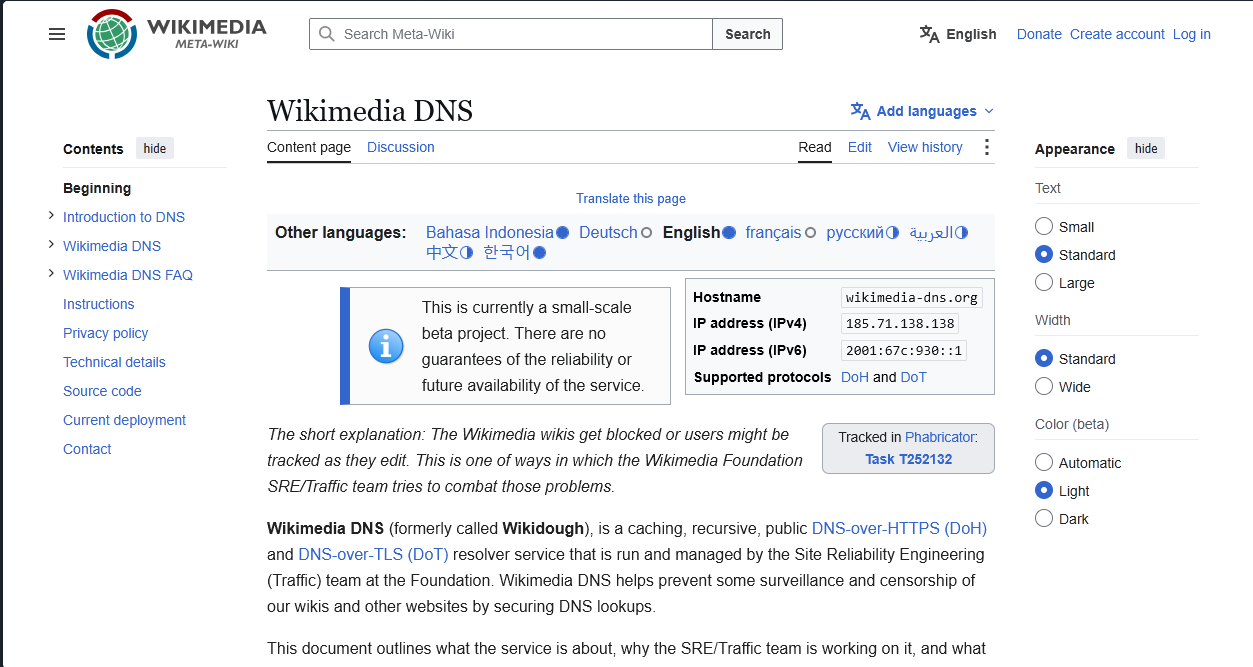
Many know Wikimedia from its world-famous encyclopedia, Wikipedia. Few are aware that it offers a public DNS resolver to ensure its service remains accessible in countries with heavy censorship. Even better, it keeps no logs and supports DoH, DoT, and QNAME minimization. In fact, it does not support unencrypted DNS at all and has no plans to do so.
Wikimedia is a non-profit and therefore not bound by corporate or shareholder interests. It does not keep logs or analytics and has no strong motivation to do.
Wikimedia DNS downsides
DNS speed tests revealed Wikimedia DNS as an inconsistent performer on a global scale. In many countries, it fell well outside of the range we would consider acceptable, including a >200ms response time in Dallas, Los Angeles, Toronto, Osaka, Mumbai, Milan, and Sydney. That said, excellent results in a few select countries pushed it up above Mullvad on average, with 9.3ms latency in Singapore and 9.8ms in Amsterdam. Ultimately, we can't confidently recommend using this DNS without running a speed test from your location to assess its speeds.
You also won't find malware protection, child protection, customizable filter lists, or any other advanced functionality. This is a standard DNS resolver focused purely on providing a censorship-free route to accessing encyclopedic content.
6. FFMUC DNS
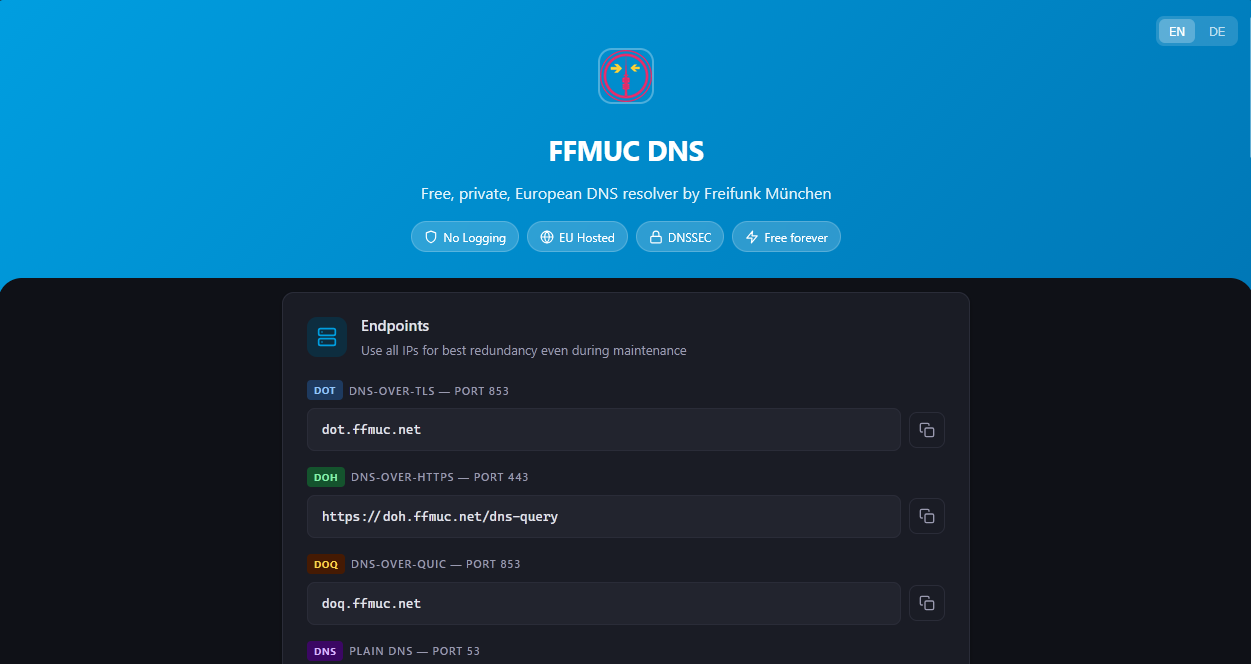
FFMUC DNS is a European resolver operated by Freifunk Munich, a grassroots non-profit from Germany focused on building free, open, and decentralized computer networks. Funded entirely by donations, it promises not to log your queries or IP address, sell your data, track you with cookies or analytics, or censor you. It does store anonymous, aggregated statistics such as the number of DNS queries and their lookup latency. This information is shared publicly and can't be used to identify the user.
FFMUC supports DoH, DoT, and DoQ, as well as DNSSEC and QNAME minimization.
FFMUC downsides
FFMUC only has servers in Europe, and that's reflected in our speed tests — it's practically unusable on other continents. Inside of Europe, it achieved a median latency of 20ms unencrypted. That doesn't trade blows with services like Quad9, Cloud, and so on, but it's acceptable for general internet browsing and streaming. Encrypted performance was more variable, with a 101ms response time from our Northern European server but <30ms in Frankfurt.
While we're huge fans of grassroots infrastructure organizations, smaller non-profits are also at greater risk of falling under the donation threshold required to operate their service. Users not involved with the organization likely wouldn't notice this until their websites suddenly stop loading one day. This isn't a big deal for regular users—you can just change your DNS in settings—but we wouldn't rely on it for an important project.
If you care about filtering, FFMUC does not support it natively. It does, however, guide users through setup with Adguard Home and Blocky using its DNS, which is a nice touch.
7. Foundation for Applied Privacy DNS
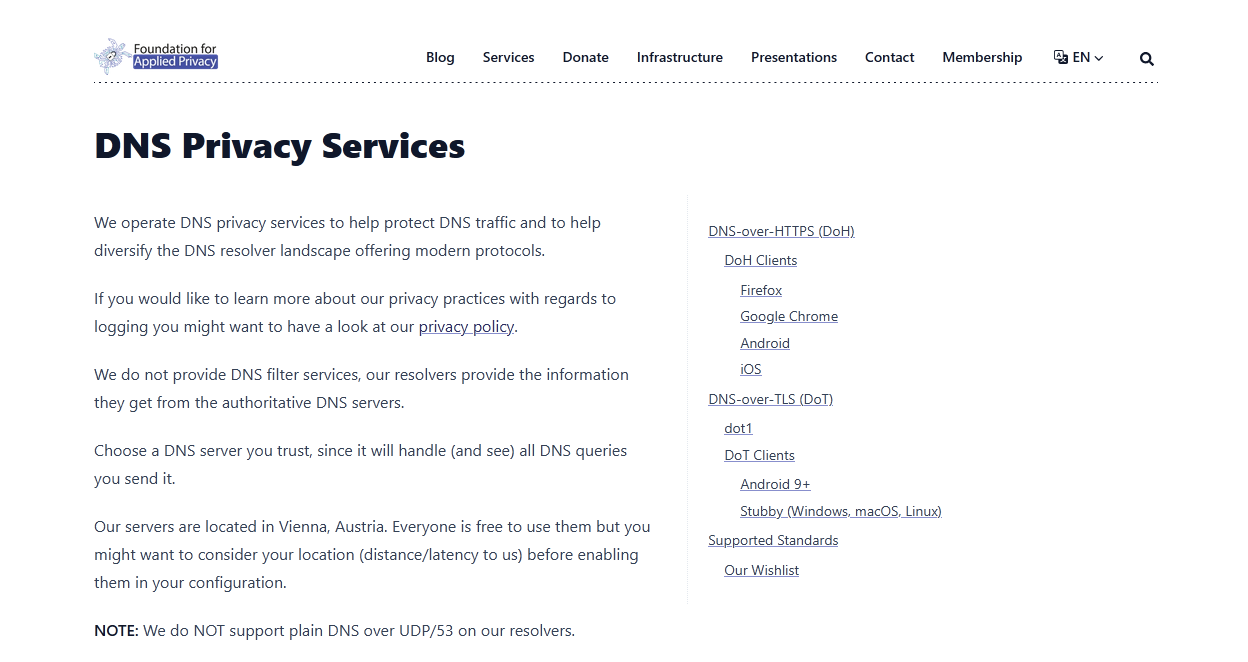
As you would expect, the Applied Privacy DNS ticks all of the privacy boxes. In addition to support for DoH, DoT, DNSSEC, and QNAME minimization, it turns a copy of the root zone on loopback to minimize the number of queries it sends to DNS root servers. In the future, it plans to implement oblivious DNS over HTTPs, which allows users to hide their IP addresses from DNS resolvers, as well as DoQ.
Further, Applied Privacy promises not to log your IP address, DNS queries, or share query data with third parties, collecting only aggregate statistics that help run the service. It doesn't get much more private than that.
As a non-profit, you also don't need to worry too much about the foundation being corrupted by corporate influences in the future.
Applied Privacy DNS downsides
Applied Privacy is a small organization with servers only in Vienna, Austria. While Austria is one of the better locations for a resolver looking to serve eastern, western, and southern Europe, there's only so far you can get with a single location. This is reflected in FfAP's speed test results, which average around 65-70ms in those regions. This is unlikely to be noticeable in day-to-day web browsing and video streaming, but it will be important for those who play online games, livestream, or trade.
The other concern would be the longevity of the DNS service. Unlike similar services like DNS4EU, Applied Privacy does not have EU funding or corporate backing. While this helps to keep it independent, it also means it relies entirely on donations and personal funding for its survival. Since 2018, the organization has received an average of 260 euros per month in donations.
8. UncensoredDNS
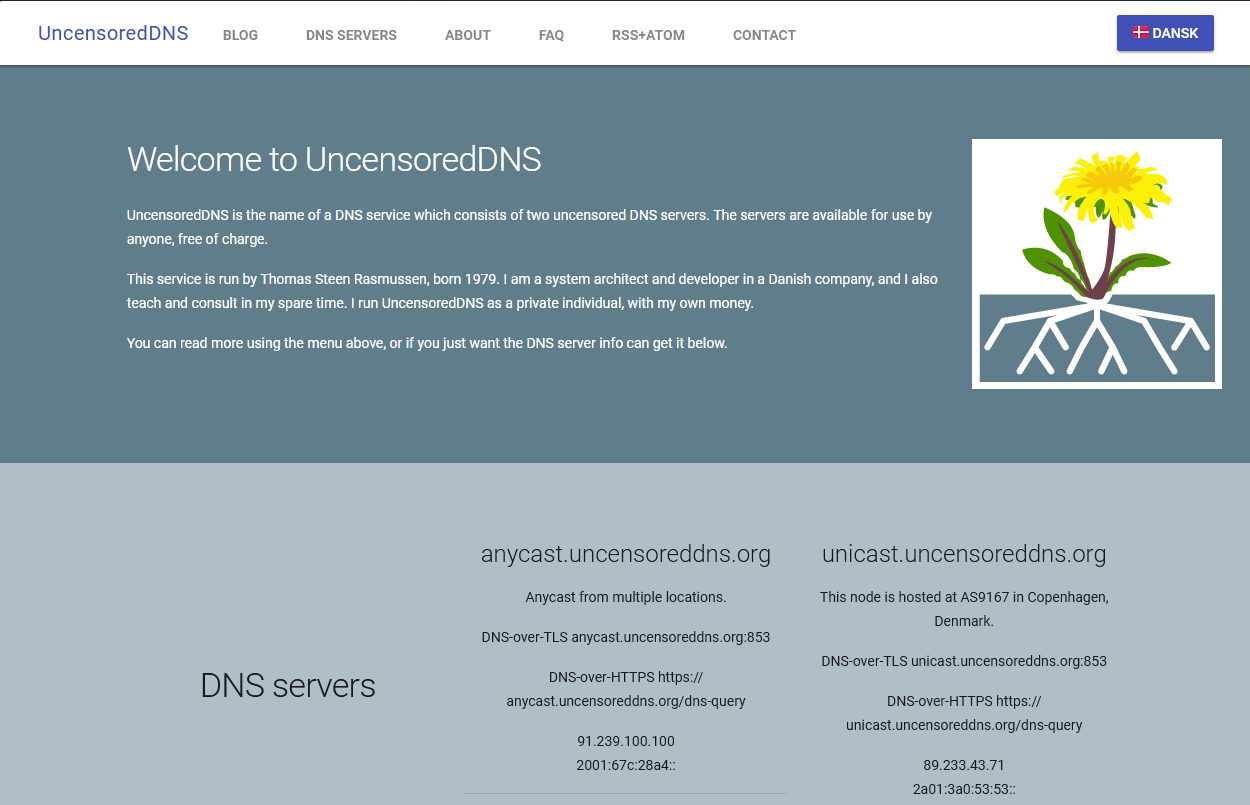
UncensoredDNS is a fascinating project in that it's run by a single private individual: systems/security consultant Thomas Steen Rasmussen. When working at an ISP in 2009, he became increasingly uncomfortable administering the company's censored DNS servers and decided to do something about it. While founded before the giants like Google, Cloudflare, and Quad9 released their public DNS, it's still alive today as a small, decentralized alternative.
According to Rasmussen, UncensoredDNS logs "absolutely nothing" beyond non-identifiable logs of the total number of queries the service is experiencing. Further, he states that this data will never be sold or used for any purpose other than capacity planning for the service, and the website contains a warrant canary to warn users if Rasmussen is ever contacted by law enforcement or authorities regarding the service.
The service supports DoH3, DoT, DoQ, DNSSEC, and QNAME minimization. It appears to be updated regularly to reflect the latest advancements in DNS security and privacy.
UncensoredDNS downsides
Obviously, a private individual using private funds is never going to compete with the likes of Cloudflare or Google in terms of infrastructure. UncensoredDNS has exactly four servers in high-capacity data centers: three in Denmark and one in Washington, USA. As a result, UncensoredDNS performed dreadfully on global speed tests, landing 15th/17th. This is firmly a DNS for users in Denmark and perhaps southern Sweden.
As an anti-censorship DNS, the service doesn't perform any filtering or blocking, including known harmful domains. This will be a pro for some, but could be a con for users with children or non-technical users in their household.
The final downside is the very element that makes uncensored DNS interesting. Because it's operated by a single individual, it has a single point of failure. Should anything happen to its founder, whether physically or monetarily, it's unclear in which capacity the service would continue. And, while we think it's exceedingly unlikely that Rasmussen would compromise on his anti-censorship and privacy values after doing this for over 20 years, it's still a decision that rests in the hands of one person.
Private enough for some
These providers did not meet the criteria, but they might fulfill yours. You may want to consider them if you require more advanced filtering, or Mullvad, Quad9, or DNS0 do not perform well. Often, they keep logs for their paid DNS users but not public, or track users on their site/during payment. Essentially, you can use them, but you should exercise some caution when interacting with them.
9. Control D
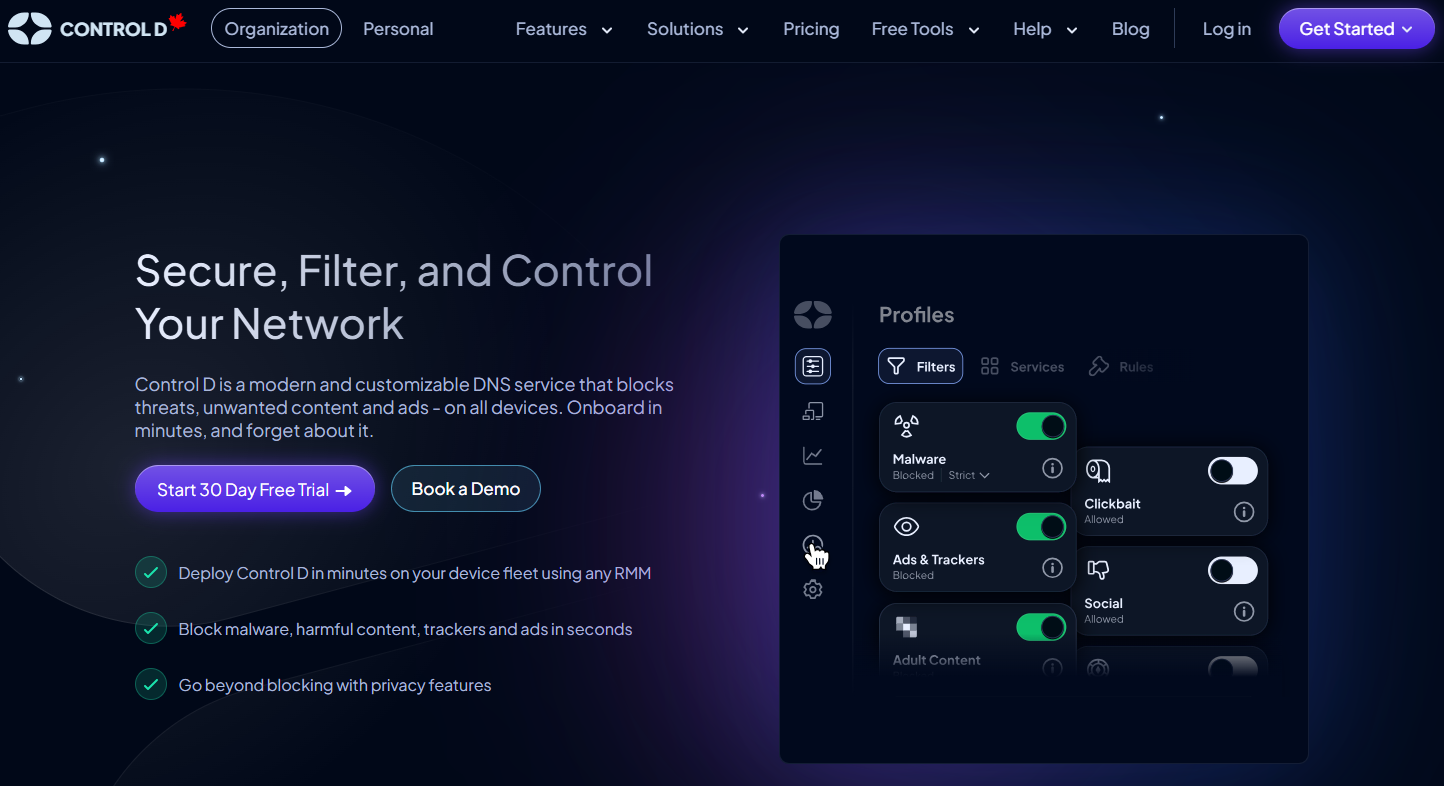
Control D is a Canada-based DNS founded by Windscribe VPN. It looks to provide a strong alternative to NextDNS by maintaining cutting-edge features and broad compatibility, while maintaining privacy.
Control D's free offering supports the usual suite of DNS encryption protocols (DoH and DoT), as well as query name minimization and a customized EDNS client subnet that doesn't expose the source IP address to authoritative DNS servers. It also claims not to store any individual browsing history, timestamps, or logs. Further, it states that it will not sell or license any user data it must collect and will do its best to avoid any forced policy changes. This includes moving country if required.
Control D is the only free DNS we have seen that allows users to build a customized DNS filter. Users are able to choose which blocking categories directly on its site, including Ads & trackers, adult content, dating, drugs, gambling, government sites, malware, phishing, and social media. It also supports third-party, open-source filters.
The primary motive for paying for Control D is more filter options and custom blocklists, with the ability to further block AI sites, clickbait, crypto, file hosting, and gaming sites. It also allows users to direct all activity through a proxy location of their choice.
DNSPerf suggests that Control D has very good (~7ms) performance in North America, and good performance in Europe and South America (<15ms). Latency in Oceania, Africa, and Asia is less than 35ms.
Control D downsides
Control D is based in Canada, which is a Five-Eyes country. It also keeps logs for its premium resolvers, including the source IP address. It claims that this information is necessary to provide its custom filters and that the threat to user privacy is very limited, as users can use its proxy feature and share IPs with others, and it does not have a way to track which user used which proxy IP.
Control D says in its FAQ that it does not run any third-party trackers on its site, and this is technically true. However, it does track user behavior using a self-hosted web analytics platform and passes this information to third-party PostHog to analyze it. The data it collects includes your user-agent, language, screen resolution, referring website, and a subset of your IP address. Posthog may collect data on your page clicks, page navigation, and feature usage. Ideally, you should use a private browser such as Tor to access its site.
10. NextDNS
NextDNS is a modern, security and privacy-based DNS. Its focus is on blocking ads and trackers while protecting users from security threats. It surpasses some other DNS solutions by not only blocking a list of malicious domains but also analyzing DNS queries in near real-time to detect and block malicious behavior. Parents can take this further by enabling parental controls, which allow them to filter search engines, YouTube, and adult sites, as well as deny access to specific online apps and games after a certain time. If you're looking for a DNS that's highly customizable, NextDNS should certainly be on your radar.
Like many third-party DNS servers, it supports DNSSEC to verify DNS responses, as well as DoH and DoT to protect your DNS requests against snooping from your ISP and other parties.
NextDNS's speeds are also good, particularly in the Americas and East Asia. Our testing revealed great speeds in Northern and Western Europe, but just good speeds in Southern and Eastern Europe.
NextDNS downsides
While NextDNS is great at protecting you from other internet sites and services, it's not as good at protecting you from itself. There is some confusion regarding its public and private DNS services:
- The NextDNS public resolver, which does not require an account, does not keep logs.
- NextDNS with an account, including free trials, keeps logs by default, requiring you to opt out. You can also reduce the time logs are kept to hours or days.
From a privacy perspective, we would much rather that logging on its private DNS were opt-in, rather than opt-out. On its website, you are prompted to try the DNS via a free trial that includes logging. While we understand logs are necessary for some of the advertised features, disabling logs is somewhat unintuitively in the "Settings" section rather than "Privacy". We'd prefer it if users saw a dialog at the top of the "Setup" screen asking whether they want to enable or disable logs.
NextDNS's free tier is limited to 300,000 filtered queries per month; after this limit is reached, the DNS will continue resolving but will not block or log. Some heavy users and families report exceeding this limit. However, it's not a significant issue if privacy is your primary objective, as you will likely disable all logging anyway.
11. AdGuard DNS
Adguard DNS wears its focus on its sleeve. Its primary focus is to block ads, trackers, and malicious sites. However, AdGuard's DNS isn't too bad when it comes to privacy, either. It's located in Cyprus, which is technically outside of the 14 Eyes surveillance agreement.
It claims that its public DNS does not process any of users' personal data when they use it, though it does collect "general statistics on the use of AdGuard," which it says is anonymized. It also supports secure DNS protocols such as DNSCrypt, DoH, DoT, DoQ, and DNSSEC.
AdGuard's private DNS is highly customizable, allowing you to use blocking lists or manually block domains, as well as implement parental controls. As with most services, however, enabling these features comes with a hit to privacy.
AdGuard DNS downsides
AdGuard's paid, private DNS logs DNS queries to enable filtering and statistics on your dashboard. These logs include the status and content of requests, names of the companies that own the resources, names of connected devices, and dates of requests. IP addresses are also logged when you enable the feature, at the subnet level. Logs are stored for the duration you choose in your account settings.
AdGuard also stores the email address you used to create your account and processes credit card payments via a third party, Paddle. Paddle may collect information such as your postcode, bank card details (including the cardholder name), email address, and country of residence. Its privacy policy states that it may combine this with information it has gathered about you from other sources. It may share this information with third parties for payment processing, legal obligations, and fraud prevention.
That said, AdGuard allows users to bypass Paddle entirely by paying with cryptocurrency via Cryptomus. This only requires an email address, but it comes with the caveat that Cryptomus may log your IP address, browser/OS info, and device fingerprint for up to 5 years. From a privacy perspective, users are almost always better off not paying for a service, and AdGuard is no different. However, with precautions such as using Tor and crypto, AdGuard is less invasive than many others.
Perhaps a bigger issue, however, is AdGuard's limited infrastructure outside of Europe and North America. As you can see, its Africa coverage is limited to servers in Johannesburg, and similarly with Sao Paulo and South America. South Asia coverage is likely to be a struggle also due to a complete lack of servers in the region. Indeed, our testing in Milan revealed an average of 832.6ms, which most users would consider unusable.
Overall, AdGuard's public DNS isn't a bad choice for those in Europe or the US if adblocking is a must, though be aware that you will be limited to filtering on 300k queries per month.
12. CleanBrowsing DNS
CleanBrowsing DNS is aimed at creating a family-friendly browsing environment, but it claims to be privacy-conscious, too. Its free DNS tier does not log requests, IP addresses, or other user activities. Blocked pages are redirected to a NXDOMAIN, which does not track. Additionally, the company promises that it does not sell, share, or misuse any of the data it does collect, and that it does not even log data to prevent misuse.
CleanBrowsing blocks adult content and malware well, while supporting technologies such as DoH, DoT, and DNSCrypt. Its free plan allows users to choose between a family, security, and adult filter. The paid plan allows users to choose between 19 filter lists and 21 filter categories, as well as manually add websites to their blog list. Like many DNSs, its paid plan includes logs. However, this is customizable, with the ability to not log at all if you wish to forgo its activity monitoring features.
CleanBrowsing DNS downsides
We could not find third-party audits of its CleanBrowsing, so you must trust that the company is being entirely honest and transparent. CleanBrowsing DNS appears to be located in the US, which means it falls under the Five Eyes intelligence sharing agreement. US companies do not have strong protections against law enforcement requests, and could hand over the data you have to authorities if compelled to. Indeed, its privacy policy states that it will use personally identifiable information (PII) to "comply with legal obligations", as well as investigate and prevent fraudulent transactions and other illegal activities.
Additionally, while privacy appears to be acceptable for free users, paid users are subject to increased data collection and sharing. CleanBrowsing states that information collected about paid users, which may include IP addresses and traffic data, may be shared with resellers and sales partners, in the event of a merger or acquisition, or to aid the prevention of illegal activities. CleanBrowsingDNS claims that it does not permit its service providers to sell information they share with them or use it for their own marketing purposes, but we would feel more comfortable if they did not share it at all.
CleanBrowsingDNS keeps the personal data of website visitors for six months after the last interaction and customer information for the duration of the contract plus 7 years. The retention of customer information, in particular, feels very long. This is exacerbated by the fact that CleanBrowsing does allow users to pay with crypto — it only supports credit card payment via Stripe. As a result, this information may include users' full names and addresses.
We recommend that privacy-conscious users stick to CleanBrowsing's public DNS and that they use a tracker blocker and/or VPN if they need to visit its site.
13. Cloudflare
Cloudflare was the first major player to offer privacy DNS, and it has some unique advantages. As well as managing to nab the memorable 1.1.1.1 URL, Cloudflare is a CDN provider, which means it has spent years building high-speed infrastructure in almost every corner of the world. This typically makes it one of the fastest DNS resolvers for many people, but particularly those in the Americas, Europe, and Oceania. Performance is even acceptable in Africa, which is often a problem region for other DNS providers. This can be particularly useful if latency is a significant concern for you — for example, if you participate in competitive online gaming or trading.
In terms of privacy, Cloudflare supports DoT, DoH, and ODoH. It also uses query name minimization to gather and transmit as little information as possible in the resolution process. Cloudflare also offers WARP, an optional free VPN-like service that helps to hide traffic from your ISP further. It promises not to sell or share the data of its public resolver users and retains only the source IP address from a random sample of 0.05% of queries for troubleshooting purposes. Other IPs are stored only in volatile storage (likely in memory) and anonymized.
Lastly, but perhaps most importantly, Cloudflare has regular third-party audits to prove that it is doing everything it says it is.
Cloudflare DNS downsides
Though 1.1.1.1 is a good DNS service, there are several reasons why you may want to consider other options. Firstly, it keeps logs for 24 hours. These logs include a host of metadata about your query and may aggregate this data to inform statistics that it will retain permanently.
Cloudflare is a U.S. company, which means it falls under the Five Eyes surveillance umbrella. This means it may come under increased pressure from law enforcement and other agencies, which can potentially request logs within the 24-hour period.
There is also the matter that Cloudflare's status as a certificate authority, as well as its general dominance in web infrastructure and security, gives it more control than some might be comfortable with. This popularity is also Cloudflare's downfall in other ways, as it may be more likely to be blocked by ISPs or other entities who do not want users changing DNS.
Finally, Cloudflare has middling performance in the Asian region, where options such as NextDNS and GoogleDNS often have a lower query time.
14. CIRA Canadian Shield
The Canadian Internet Registration Authority (CIRA) launched its Canadian Shield DNS in 2018. Designed to protect citizens from cybersecurity threats, its primary focus is blocking malicious domains at the DNS level. This feature is optional, however, with the option of DNS resolution only, malware and phishing protection, or that protection plus family filters.
From a privacy perspective, Canadian Shield supports DoH, DoT, DNSSEC, and QNAME minimization to enhance privacy and security. It also says it won't retain any personal information for marketing purposes, will not resell your personal data, and will retain it for the shortest time possible. Its latency is excellent in its target nation of Canada, with our tests recording a winning result of 11.8ms in Toronto.
Canadian Shield downsides
CIRA stores IP addresses for up to 24 hours to detect and prevent abuse of its service. While likely better than your average Canadian ISP, it still compromises it slightly from a privacy perspective, especially considering it falls under the Five Eyes intelligence-sharing umbrella.
With strong Canada branding, it's unlikely anyone outside of the country will be looking to use this DNS. Those who do will face poor latency unless they close to the Canada border, such as Chicago, which was acceptable at 32.5ms. All over-test locations exceeded the 100ms threshold, which is too high for gamers
Not recommended for privacy
We believe the following DNS servers should not be used by any privacy-conscious user, despite often appearing in similar lists.
15. Google Public DNS
Cloudflare may have been one of the first public privacy resolvers, but Google DNS (8.8.8.8) was one of the first good public resolvers, period. As you would expect from a global search and video giant, Google has an excellent infrastructure and resolves DNS requests quickly. Perhaps not quite as quickly as Cloudflare, but close enough that the vast majority of people won't notice a difference. Google DNS is widely used, has excellent uptime, and is entirely free for consumers with no premium tier. Some ISPs even use it as a fallback should their own DNS services go down.
Google DNS downsides
Let's talk about the elephant in the room. Google is one of the world's biggest advertising firms and has plenty of reason to want data about users' browsing habits. It promises that any personal information collected through its DNS will not be used to target ads. It does, however, log your IP address and other technical information for 24-48 hours for maintenance and "to identify and mitigate security threats of other activity that we deem abusive or otherwise malicious". With many providers that log for 24 hours or not at all, this makes it hard to recommend.
Additionally, Google retains some information from these logs even after the 48h period. These replace your IP address with a local city/region level one, and Google claims therefore contain no personal information about you. However, it also stores metadata such as the request type, request size, transport protocol, client's autonomous system number, timestamp, processing time, etc. Though none of this metadata is classed as personally identifiable information, it could still be powerful when combined with information from other sources.
Finally, Google complies with legal requests to restrict access to content and is part of the Five-Eyes. It only has basic security features and configuration options. Ultimately, Google DNS might be better than some shady ISPs that sell your data, but there are better options.
16. OpenDNS
OpenDNS is a highly configurable DNS service owned by Cisco. It is aimed primarily at enterprises but has a free consumer arm. It was one of the fastest-performing DNSs in our testing and focuses primarily on security, with built-in protection against phishing and the option to implement parental and other content-blocking controls. It also supports DNS over HTTPS. This means that your requests will be encrypted and hidden from snoopers such as your ISP.
Cisco says it will "stop logging your DNS lookups on a go-forward basis" if you disable the logging option in your control. By default, this option is turned off on the free, home network plan.
OpenDNS downsides
OpenDNS often makes these kinds of lists, but we include it primarily because we think it should not. It has commercial interests due to being owned by the US-based Cisco. Its privacy policy reflects this, with several concerns and a lack of clarity about exactly what DNS information it keeps.
According to the service's privacy policy, it collects personal data related to users and may use this information for marketing purposes relating to its other subsidiaries. This includes sharing the data with "Cisco business partners or vendors". Cisco also makes it clear that it's happy to share data with law enforcement on request. While its control panel mentions that it won't log DNS lookups unless you enable the feature, it doesn't mention metadata or other personal information. Its privacy policy states that it may store device identifiers and telemetry (such as IP or MAC address) when such data is linked or tied to a specific individual’s device.
Overall, OpenDNS is fast and offers some useful security features; however, it should not be considered if privacy is your primary objective due to these issues.
What is the best private DNS for high-speed internet?
So far, we've focused on the DNS providers with the best privacy and security features. But what if your criteria is a bit different? If any privacy-focused DNS is better than your ISP, the bigger consideration might be speed. A DNS provider is unlikely to make a difference in your download speed, but it can affect latency, which can impact tasks like gaming, stock trading, and VoIP.
Determining the fastest DNS, however, isn't as simple as you might think. A user on the East Coast of the US might get the lowest latency with Cloudflare, while one on the West Coast might get the lowest with NextDNS. It's all relative to the infrastructure the provider has, where it's located, and the path your request needs to take to get to it.
Run our DNS speed test to determine latency from your location
There are several methods you can use to test DNS response latency, such as running your own commands with dig . To make things easier for you, however, we've built a BitLaunch DNS speed test tool that you can use below. Press "Run", and the tool will run a DoH benchmark from your location for every major provider.
★ gold-standard privacy pick · ⚠ not recommended for privacy
What's the fastest DNS provider globally?
To get a general idea of the fastest DNS and therefore which is easiest to recommend, we used the BitLaunch API to run DNS speed tests across 22 BitLaunch VPS servers in 17 countries. We tested every DNS service mentioned for both plain and encrypted DNS, but we'll focus primarily on encrypted here, since we believe it's mandatory for privacy.
Want to use the BitLaunch API to programmatically launch your own servers?
Because these tests are from datacenters rather than residential internet addresses, they might not reflect your real-world experience 1-to-1. But without large-scale, crowdsourced testing, it's the best we can do.
Provider ranking — DNS-over-HTTPS (DoH)
Average round-trip DoH latency across all 22 locations, lowest first.
According to our tests, the best overall DNS for privacy and speed is Quad9. It had the lowest average latency when DoH is enabled and excellent, privacy-respecting practices. This makes it the best private DNS for gaming, streaming, and other latency-sensitive tasks. The caveat is that we were unable to test in South America and Africa, where we suspect other providers' infrastructure advantage may allow them to perform better.
While not in our "gold standard" category, NextDNS and Cloudflare performed similarly globally, making them respectable picks for those who just want privacy better than their ISP's, rather than the best of the best.
What's the fastest DNS provider in each region?
As we mentioned earlier, DNS resolver latency depends heavily on the infrastructure in your country and location. NextDNS, for example, is the fastest in the Americas and Asia, but 5th in Europe. Here are the five fastest private DNS resolvers in the Americas, Asia, Europe, and Oceania:
| Region | Locations | #1 | #2 | #3 | #4 | #5 |
|---|---|---|---|---|---|---|
| Americas | 5 | NextDNS7.0ms | Cloudflare12.8ms | Quad914.1ms | ControlD29.8ms | Google31.7ms |
| Asia | 7 | NextDNS9.5ms | Cloudflare11.9ms | Quad912.1ms | ControlD41.8ms | OpenDNS50.7ms |
| Europe | 8 | Quad96.7ms | Cloudflare8.9ms | NextDNS14.5ms | ControlD18.8ms | OpenDNS32.0ms |
| Oceania | 1 | AdGuard3.2ms | NextDNS5.1ms | Quad95.5ms | DNS.SB6.1ms | CleanBrowsing6.4ms |
Zooming in reveals that many sub-regions also have a different winner. Western and Eastern Europe are both fastest with Quad9; for example, NextDNS is faster in Southern Europe and AdGuard in Northern Europe.
| Region | Sub-region | Locations | #1 | #2 | #3 | #4 | #5 |
|---|---|---|---|---|---|---|---|
| Americas | Northern America | 4 | NextDNS7.8ms | CleanBrowsing10.5ms | ControlD11.6ms | Quad914.2ms | Cloudflare14.6ms |
| Americas | Central America | 1 | NextDNS3.6ms | Cloudflare5.4ms | Quad913.7ms | Google42.8ms | OpenDNS79.1ms |
| Asia | South-Eastern Asia | 2 | Quad96.2ms | NextDNS6.6ms | Cloudflare9.9ms | Mullvad24.5ms | ControlD28.4ms |
| Asia | Eastern Asia | 3 | NextDNS12.6ms | Cloudflare15.7ms | Quad917.4ms | DNS.SB31.3ms | ControlD45.4ms |
| Asia | Southern Asia | 2 | NextDNS7.8ms | Cloudflare8.3ms | Quad910.1ms | ControlD49.7ms | OpenDNS57.8ms |
| Europe | Northern Europe | 1 | AdGuard3.2ms | NextDNS4.3ms | Mullvad4.7ms | Quad96.1ms | Cloudflare6.3ms |
| Europe | Western Europe | 3 | Quad96.6ms | ControlD9.9ms | Cloudflare10.7ms | OpenDNS15.4ms | NextDNS17.0ms |
| Europe | Eastern Europe | 2 | Quad96.3ms | Cloudflare8.7ms | CleanBrowsing11.1ms | ControlD18.1ms | OpenDNS19.1ms |
| Europe | Southern Europe | 2 | NextDNS6.5ms | Quad97.5ms | Cloudflare7.9ms | ControlD11.4ms | Google35.6ms |
| Oceania | Australia and New Zealand | 1 | AdGuard3.2ms | NextDNS5.1ms | Quad95.5ms | DNS.SB6.1ms | CleanBrowsing6.4ms |
Hopefully this helps to illustrate just how important it is to test DNS resolvers from your specific location. Any blanket claim that "x resolver is the fastest" ignores the nuances of your particular region and infrastructure.
Latency by location (DoH, ms)
| Mexico City | Chicago | Dallas | Los Angeles | Toronto | Osaka | Seoul | Tokyo | Indonesia | Singapore (2) | Bangalore | Mumbai | Bucharest | Warsaw | Stockholm | Madrid | Milan | Amsterdam | Frankfurt | Paris | Sydney | |
|---|---|---|---|---|---|---|---|---|---|---|---|---|---|---|---|---|---|---|---|---|---|
| Central America | Northern America | Northern America | Northern America | Northern America | Eastern Asia | Eastern Asia | Eastern Asia | South-Eastern Asia | South-Eastern Asia | Southern Asia | Southern Asia | Eastern Europe | Eastern Europe | Northern Europe | Southern Europe | Southern Europe | Western Europe | Western Europe | Western Europe | Australia and New Zealand | |
| Quad9 | 13.7 | 11.6 | 5.4 | 27.6 | 12.0 | 5.4 | 39.7 | 7.1 | 3.9 | 8.6 | 7.0 | 13.1 | 7.2 | 5.4 | 6.1 | 4.9 | 10.0 | 5.3 | 8.7 | 5.9 | 5.5 |
| NextDNS | 3.6 | 4.1 | 6.4 | 8.4 | 12.5 | 28.4 | 5.3 | 4.2 | 5.5 | 7.8 | 9.9 | 5.7 | 42.9 | 4.4 | 4.3 | 4.1 | 9.0 | 35.8 | 7.1 | 8.2 | 5.1 |
| Cloudflare | 5.4 | 10.6 | 8.3 | 23.7 | 15.8 | 6.0 | 33.3 | 7.7 | 5.5 | 14.4 | 8.9 | 7.8 | 11.2 | 6.2 | 6.3 | 8.6 | 7.3 | 8.1 | 13.7 | 10.2 | 6.9 |
| ControlD | 102.5 | 9.6 | 12.2 | 10.8 | 13.7 | 29.9 | 100.5 | 5.7 | 45.5 | 11.4 | 53.1 | 46.2 | 28.7 | 7.6 | 61.6 | 10.9 | 11.8 | 7.2 | 11.0 | 11.5 | 7.4 |
| OpenDNS | 79.1 | 32.0 | 18.7 | 42.3 | 33.2 | 62.8 | 75.3 | 35.7 | 45.5 | 20.1 | 70.2 | 45.4 | 10.6 | 27.7 | 52.0 | 88.1 | 31.5 | 22.2 | 16.6 | 7.3 | 8.5 |
| 42.8 | 19.1 | 35.5 | 15.4 | 45.5 | 23.1 | 157.6 | 38.1 | 44.6 | 16.4 | 102.0 | 25.5 | 25.6 | 394.0 | 19.2 | 38.8 | 32.4 | 136.1 | 27.3 | 21.7 | 135.4 | |
| CleanBrowsing | 131.1 | 7.9 | 11.9 | 11.7 | – | 36.3 | 131.1 | 6.5 | 55.3 | 12.6 | 163.8 | 45.9 | 16.6 | 5.6 | 7.3 | 4.7 | 541.7 | 136.9 | 8.3 | 4.8 | 6.4 |
| DNS.SB | 136.7 | 126.1 | 8.2 | 7.8 | 23.5 | 4.3 | 64.5 | 25.1 | 41.1 | 39.8 | 454.2 | 51.8 | 359.7 | 60.4 | 28.4 | 180.3 | 46.4 | 111.9 | 9.1 | 112.0 | 6.1 |
| AdGuard | 126.5 | 5.2 | 3.5 | 7.1 | 203.8 | 290.8 | 7.4 | 3.1 | 110.5 | 38.2 | 123.5 | 73.7 | 24.2 | 227.7 | 3.2 | 69.7 | 832.6 | 109.9 | 47.2 | 24.7 | 3.2 |
| Wikimedia | 96.6 | 71.1 | 347.2 | 411.4 | 393.7 | 224.0 | 288.1 | 217.2 | 47.6 | 9.3 | 134.2 | 415.2 | 127.6 | 67.1 | 81.1 | 50.0 | 501.4 | 9.8 | 38.8 | 43.1 | 283.7 |
| Mullvad | 634.9 | 97.8 | 67.1 | 5.7 | 64.5 | 235.1 | 247.7 | 521.9 | 40.5 | 8.4 | 459.3 | 82.7 | 483.1 | 55.4 | 4.7 | 82.5 | 388.5 | 358.1 | 73.8 | 93.8 | 359.9 |
| AppliedPrivacy | 481.8 | 344.0 | 401.9 | 460.8 | 369.5 | 714.5 | 870.2 | 745.9 | 505.4 | 484.9 | 551.0 | 461.7 | 61.6 | 80.2 | 95.6 | 111.6 | 40.6 | 60.2 | 51.7 | 84.7 | 748.7 |
| CIRAShield | 185.4 | 32.5 | 102.6 | 120.0 | 11.8 | 402.4 | 545.2 | 745.9 | 608.4 | 558.3 | 648.2 | 669.8 | 459.5 | 318.1 | 296.9 | 318.0 | 292.0 | 334.1 | 298.1 | 286.2 | 812.4 |
| FFMUC | 443.0 | 340.4 | 378.5 | 448.7 | 320.6 | 819.4 | 749.1 | 875.0 | 660.7 | 630.3 | 467.5 | 439.4 | 57.1 | 92.2 | 101.6 | 97.8 | 38.7 | 47.0 | 27.8 | 47.0 | 954.2 |
| UncensoredDNS | 443.4 | 348.1 | 394.9 | 475.1 | 335.4 | 804.4 | 879.9 | 763.9 | 580.0 | 645.5 | 500.7 | 675.8 | 413.6 | 67.5 | 40.2 | 143.2 | 97.1 | 44.2 | 68.1 | 76.5 | 813.9 |
| DNS4EU | 610.7 | 409.7 | 473.5 | 556.5 | 429.8 | 1013.1 | 1178.0 | 1002.8 | 723.3 | 646.8 | 614.2 | 583.2 | 46.7 | 45.9 | 44.8 | 46.8 | 108.4 | 53.0 | 50.6 | 47.1 | 1013.2 |
| YandexDNS | 576.8 | 437.7 | 488.3 | 570.6 | 464.6 | 845.4 | 920.7 | 834.9 | 704.7 | 632.3 | 567.2 | 540.3 | 203.7 | 168.6 | 166.6 | 215.0 | 170.7 | 146.2 | 140.8 | 155.8 | 842.5 |
Fast Slow
The graphic above gives you a general idea of which providers are fastest by country. But again, this picture could look different from where you are.
How to host your own DNS services
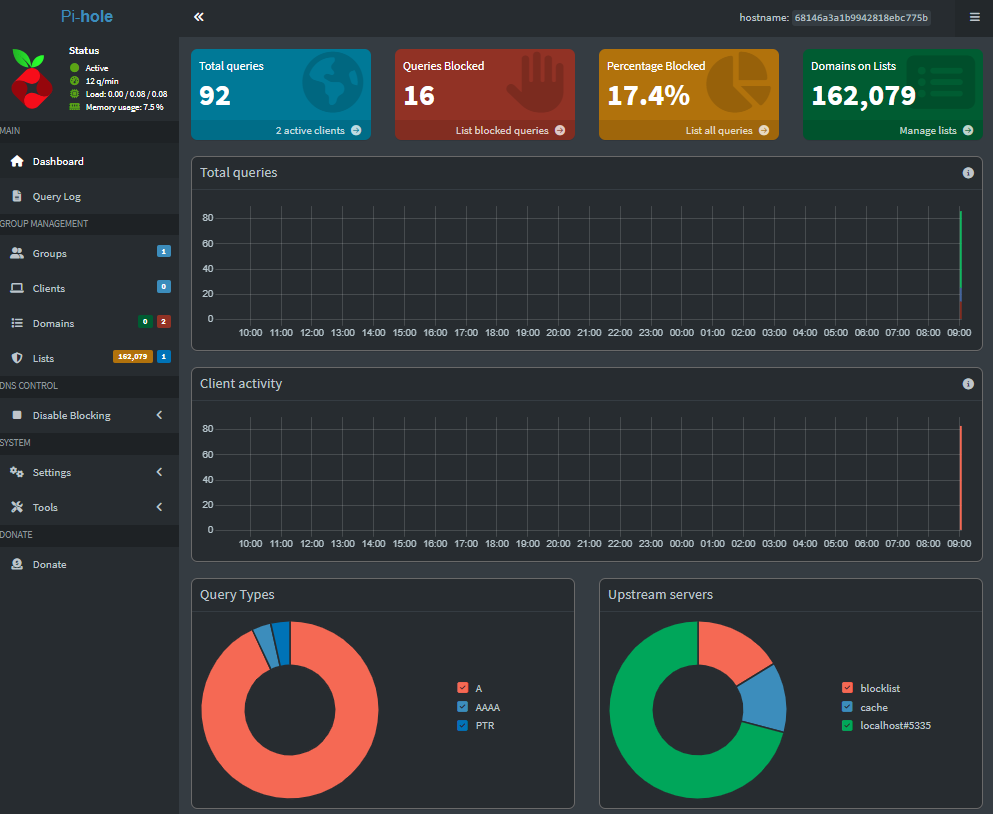
If you don't like relying on third-party DNS services, you can host some parts of the DNS infrastructure yourself on a (Bitcoin) VPS. Options include:
- Running your own recursive DNS resolver: Software such as Unbound, BIND on Linux, and Knot lets you create your own DNS resolver to grant you a large degree of control over your DNS privacy and security.
- Hosting your own DoH or DoT resolver: You can add encryption to your DNS while blocking ads and trackers by setting up a resolver that supports DoH/DoT. Options include AdGuard Home, PiHole + Unbound, and Technitium.
- Host a filtering DNS: PiHole, AdGuard Home, and NextDNS self-host let you perform advanced filtering of DNS requests, similar to what you see in many paid DNS providers, without the third-party logging that typically accompanies it. You can easily pair PiHole with public DNS providers during its setup process.
Many users do not have a home server to perform DNS forwarding on or a good network setup. They can instead pay for and manage an anonymous VPS server that allows connections to it only from selected networks using a VPN. This can cost less than paying for a premium DNS from AdGuard or OpenDNS and allows you to access your filtering from anywhere.
            ┌─────────────────────────────────────────────┐
            │ Do you want to block ads or track your DNS? │
            └─────────────────────────────────────────────┘
                          │
              ┌───────────┴───────────┐
              │                       │
              ▼                       ▼
     "Yes, block ads & see stats"   "No, just private resolution"
              │                       │
     ┌────────┴────────┐         ┌────┴────┐
     ▼                 ▼         ▼         ▼
 Pi-hole + Unbound  AdGuard   Unbound    Knot Resolver
   (local network)   Home     (fast +     (privacy
                    (easier   modern)     focused)
                     UI)

          ┌────────────────────────────┐
          │ Want to access it from     │
          │ anywhere on the internet?  │
          └────────────────────────────┘
                      │
            ┌─────────┴─────────┐
            ▼                   ▼
        Host on VPS         Keep local only
     (BitLaunch, Hetzner,   (best for home
      etc. in safe region)     networks)
Regardless of how you host, it is essential to secure your server effectively. Always use DNS-over-HTTPS (DoH) or DNS-over-TLS (DoT), do not allow open recursive access, and ensure effective monitoring and maintenance.
How to set up PiHole + Unbound VPN server
PiHole is easy to install and intuitive to configure. However, running it on a VPS requires some additional configuration. This is because if your recursive DNS server is open to the internet, attackers will exploit it by sending large numbers of DNS requests for a specific site. This is a form of DDoS called a DNS amplification attack, which aims to make the victim's website inaccessible.
To avoid this, you have two options:
- Set up your PiHole/Unbound server to be accessible only via a WireGuard VPN or Tailscale. You connect your client devices (phone, laptop, etc.) to the VPN and can then use your VPS server for DNS filtering to block ads, malware, etc. This will also let you use your DNS service when you're away from home.
- You allow connections to your server only from your home router/specific devices by specifying their IP addresses in the firewall.
Option one is typically best, as it means you do not have to deal with the issue of dynamic IPs. We'll show you how to do it step-by-step below.
Setting up a recursive DNS on a VPS with PiHole, Unbound, and PiVPN
We'll be using a few different tools today, but together they make the setup of a DNS on a VPS relatively straightforward. The order here is important: we'll first install PiHole, then Unbound, then PiVPN to protect our installation from DNS amplification.
- Connect to your VPS and start the PiHole installation by running the following:
curl -sSL https://install.pi-hole.net | bash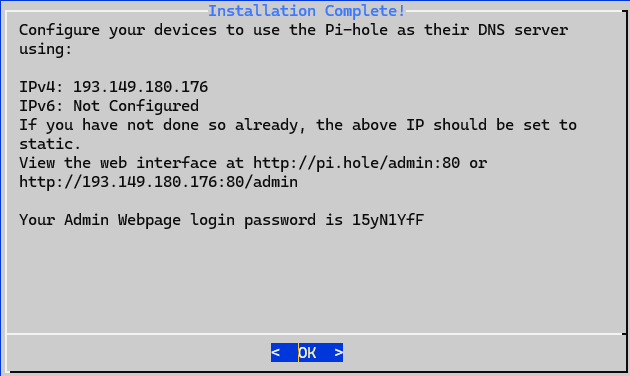
Follow the installer instructions until it asks you which DNS to use. Choose custom and enter 127.0.0.1#5335. You can decide whether or not you want to enable query logging, but we strongly recommend choosing anonymous mode for your privacy options rather than the other settings. Note down your PiHole login once the installation is complete. You should change this later. You can also use curl to download as a file.
2. Install unbound with sudo apt install unbound.
3. Run sudo nano /etc/unbound/unbound.conf.d/pi-hole.conf to configure Unbound to only listen to queries from our local PiHole installation. Paste the following configuration (provided by PiHole):
server:
    # If no logfile is specified, syslog is used
    # logfile: "/var/log/unbound/unbound.log"
    verbosity: 0

    interface: 127.0.0.1
    port: 5335
    do-ip4: yes
    do-udp: yes
    do-tcp: yes

    # May be set to no if you don't have IPv6 connectivity
    do-ip6: yes

    # You want to leave this to no unless you have *native* IPv6. With 6to4 and
    # Terredo tunnels your web browser should favor IPv4 for the same reasons
    prefer-ip6: no

    # Use this only when you downloaded the list of primary root servers!
    # If you use the default dns-root-data package, unbound will find it automatically
    #root-hints: "/var/lib/unbound/root.hints"

    # Trust glue only if it is within the server's authority
    harden-glue: yes

    # Require DNSSEC data for trust-anchored zones, if such data is absent, the zone becomes BOGUS
    harden-dnssec-stripped: yes

    # Don't use Capitalization randomization as it known to cause DNSSEC issues sometimes
    # see https://discourse.pi-hole.net/t/unbound-stubby-or-dnscrypt-proxy/9378 for further details
    use-caps-for-id: no

    # Reduce EDNS reassembly buffer size.
    # IP fragmentation is unreliable on the Internet today, and can cause
    # transmission failures when large DNS messages are sent via UDP. Even
    # when fragmentation does work, it may not be secure; it is theoretically
    # possible to spoof parts of a fragmented DNS message, without easy
    # detection at the receiving end. Recently, there was an excellent study
    # >>> Defragmenting DNS - Determining the optimal maximum UDP response size for DNS <<<
    # by Axel Koolhaas, and Tjeerd Slokker (https://indico.dns-oarc.net/event/36/contributions/776/)
    # in collaboration with NLnet Labs explored DNS using real world data from the
    # the RIPE Atlas probes and the researchers suggested different values for
    # IPv4 and IPv6 and in different scenarios. They advise that servers should
    # be configured to limit DNS messages sent over UDP to a size that will not
    # trigger fragmentation on typical network links. DNS servers can switch
    # from UDP to TCP when a DNS response is too big to fit in this limited
    # buffer size. This value has also been suggested in DNS Flag Day 2020.
    edns-buffer-size: 1232

    # Perform prefetching of close to expired message cache entries
    # This only applies to domains that have been frequently queried
    prefetch: yes

    # One thread should be sufficient, can be increased on beefy machines. In reality for most users running on small networks or on a single machine, it should be unnecessary to seek performance enhancement by increasing num-threads above 1.
    num-threads: 1

    # Ensure kernel buffer is large enough to not lose messages in traffic spikes
    so-rcvbuf: 1m

    # Ensure privacy of local IP ranges
    private-address: 192.168.0.0/16
    private-address: 169.254.0.0/16
    private-address: 172.16.0.0/12
    private-address: 10.0.0.0/8
    private-address: fd00::/8
    private-address: fe80::/10

    # Ensure no reverse queries to non-public IP ranges (RFC6303 4.2)
    private-address: 192.0.2.0/24
    private-address: 198.51.100.0/24
    private-address: 203.0.113.0/24
    private-address: 255.255.255.255/32
    private-address: 2001:db8::/32
Press Ctrl + X, then press Y and Enter to save the file.
4. Make sure Unbound is working correctly by listing services and running the following commands:
sudo service unbound restart
dig pi-hole.net @127.0.0.1 -p 5335
5. Install PiVPN using curl -L https://install.pivpn.io | bash.
6. Follow the installer instructions until it asks you which DNS to use. Choose custom and enter 127.0.0.1#5335. When you reach the "We have detected a Pi-hole installation" screen, choose Yes.
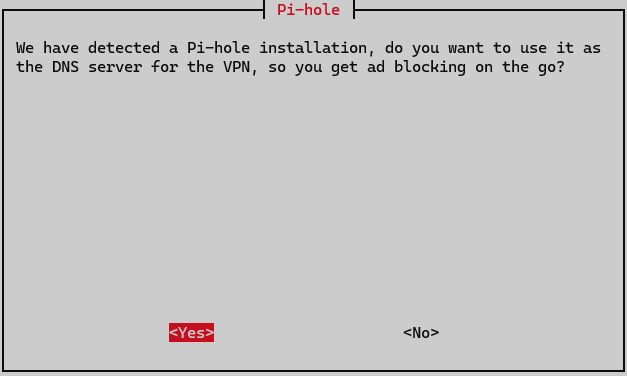
7. Add a WireGuard client by typing pivpn add. Call the client `pc`.
8. Run the ifconfig command and note down your network information.
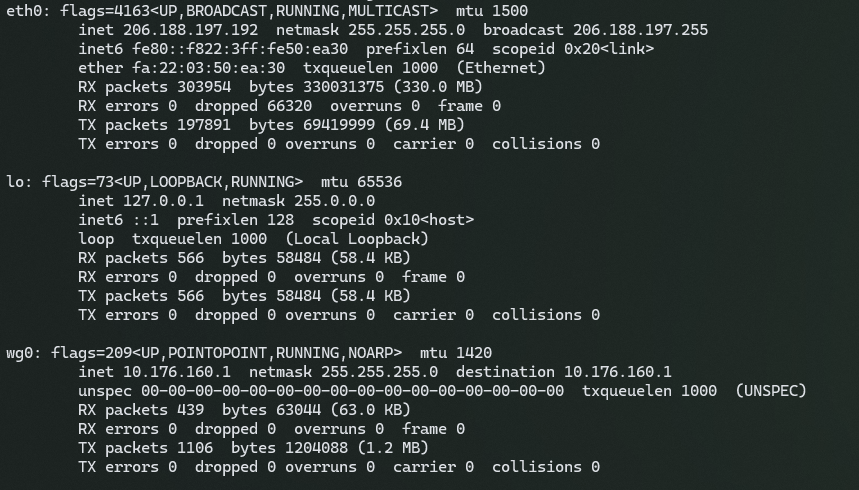
9. Modify the client config using sudo nano /home/vpn/configs/pc.conf.
Use the guides below if you're struggling with nano:
 BitLaunch
 BitLaunch
Then, replace the AllowedIPs = 0.0.0.0/0, ::0/0 line in your client configuration to match the network settings you noted down earlier. You'll want to look at eth0 your LAN IPs, and wg0 for WireGuard. Your final line should look something like this:
AllowedIPs = <your-lan-ip/netmask>, <wireguard-ipv4/netmask>, <wireguard-ipv6/netmask>Replace the information above with your relevant IP addresses and remove any <>.
10. That's it! You can now copy and paste this information into a WireGuard config file as covered here, import it to your WireGuard client, and press "Activate". Add a block on a domain in your PiHole portal, which you can now find using http://<dns.ip.from.wireguard>/admin/login. Try navigating to that URL to ensure the blocking is working correctly.
Final steps and further reading
Before you go on your merry way, there are a few closing steps you'll want to consider that were beyond the scope of this article:
- Change your PiHole password from the default: Do this using
pihole setpassword. - Enable HTTPS on your PiHole web portal: This is an important step for security and privacy, but requires you to own a domain. You can read how to set it up here.
- Set up DoH/DoQ for Unbound: You can do this by following the official documentation.
- Configure Unbound to use query name minimization: You can do this by modifying your
unbound.confas outlined here. - Secure your server: A few simple steps will greatly reduce the chance that your server is compromised and used to perform man-in-the-middle attacks on you or others.
BitLaunch users who need help configuring their server or choosing a suitable server size can reach out to our live chat support. Our expert support agents will be happy to assist you if they can.
Sign up to BitLaunch and launch a VPS in Amsterdam, Bucharest, or the USA within minutes. Launch servers programmatically to use with PiHole, or use our control panel to select from various regions and VPS providers.
FAQs
Is private DNS safe?
Yes, as long as you choose a reputable provider that doesn't sell your DNS requests, it's entirely safe. However, you should check your local laws — in some countries, using private DNS to bypass censorship is illegal.
Is AdGuard DNS free?
AdGuard's public DNS is completely free, but its private DNS costs $2.50/month. This allows you to have up to 1,000 ad-blocking rules versus the 100 a free account gets.
What is DNS over HTTPS?
DNS over HTTPS is a way of encrypting your DNS requests so that they cannot be intercepted and read en-route to your DNS resolver. DNS over HTTPS is less likely to be blocked than alternatives such as DNS over TLS since it uses common ports that aren't blocked on enterprise firewalls.
What's the best DNS for Jio?
Since Jio iPhones are most popular in India, the best DNS will be the one that's fastest in the region. According to our tests, NextDNS is fastest, followed by Cloudflare and then the more privacy-respecting Quad9.
What's the best private DNS for gaming?
Quad 9. It has very low latency, doesn't log, and is a non-profit organization. NextDNS and Cloudflare are around the same speed when encrypted but aren't as private.
What's the best private DNS for Android?
The best private DNS for Android depends on your location. For most people, Quad9 will provide the best privacy while having great or acceptable speeds. In the Americas, however, NextDNS or Cloudflare may offer better speeds but worse privacy.
What's the best ad-blocking DNS?
AdGuard DNS or NextDNS, since they both have customizable block lists. Just be aware that you will have to give up some privacy for this functionality, since they log your DNS requests for filtering purposes.