
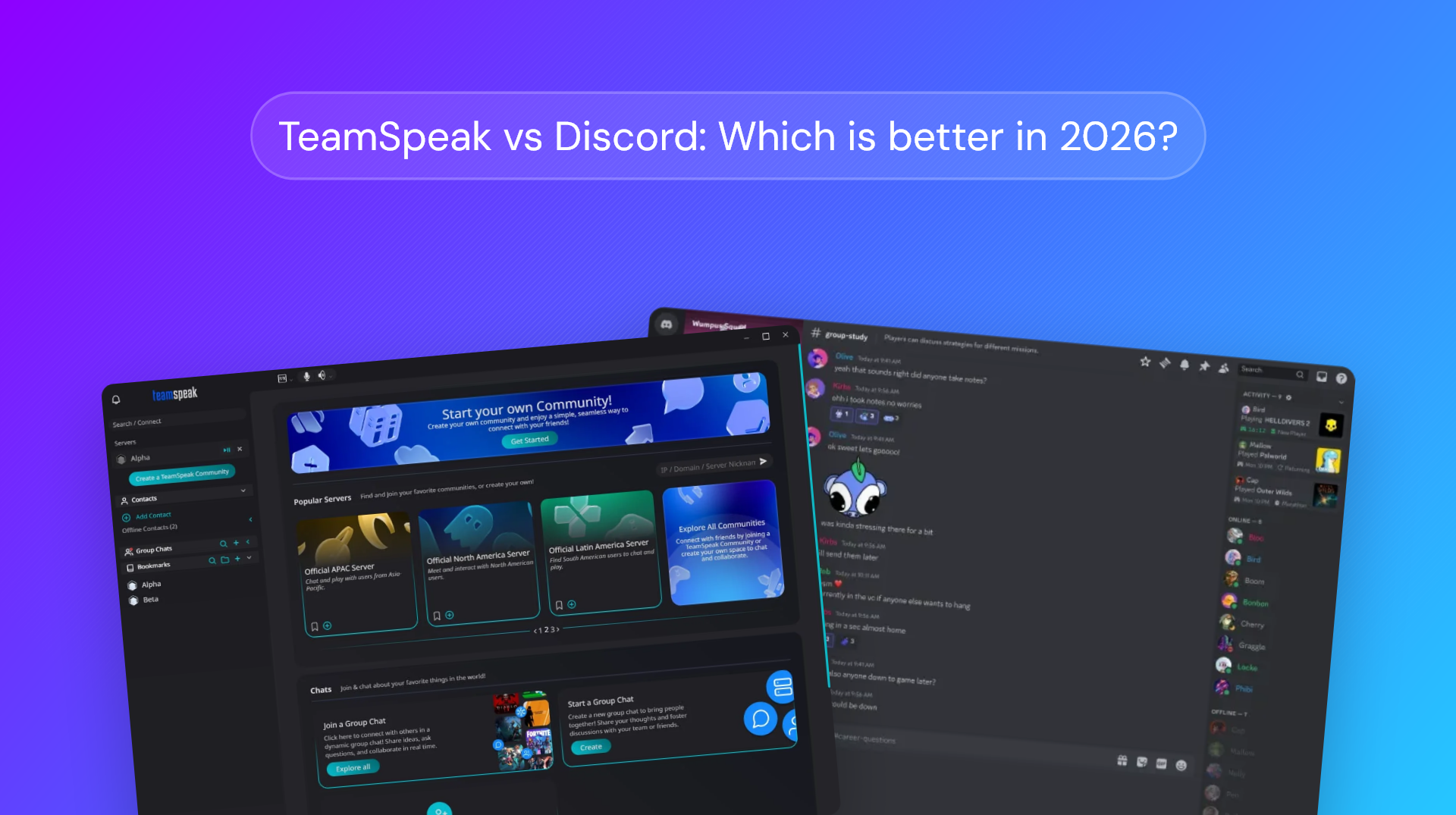
Contents
The TeamSpeak vs Discord conversation reached a crescendo in February 2026 with Discord's announcement that it would soon require users to complete facial scans or upload their ID to access age-restricted channels. In an absolute disaster class of PR, this statement came just months after the company had exposed the IDs of 70,000 Discord users following a third-party data breach. Then, a week after the announcement, cybersecurity researchers found that Discord's new age verification partner, Persona, had thousands of sensitive files exposed on the open internet, revealing extensive surveillance and what appears to be plans to serve several government agencies.
While the company acknowledged that it got some things wrong, its response ultimately came across as "you guys just need more detail" rather than any significant walking back of the policy. While it will stop using Persona, it still plans to implement age verification in the second half of 2026 for users whose age it cannot determine through other means.
Ultimately, for many users, the damage has already been done and the policy has not substantially changed. The question many are now asking is whether TeamSpeak, the platform Discord originally replaced, is a viable way back. The first step when making that decision is to understand the core differences between the two.
What are the core differences between TeamSpeak and Discord?
On the surface, TeamSpeak and Discord seem very similar: social platforms centered around voice and community building. This masks some of the significant differences the platforms have in philosophy, monetization, and feature set, which we'll get into below.
Architecture and monetization
This is by far the most important divergence in our opinion, so it's worth spending some time to explain it in full.
The Discord model
One of the reasons Discord became so popular is that anyone can create a server for free on a highly available, centralized Discord infrastructure. They don't need to mess around with setup or configuration, hosting providers, and so on. It's seamless and frictionless, but you give up something in the process — your data sovereignty.
Hosting exclusively on Discord infrastructure means you have little control or visibility over how your data is used, stored, or secured. ID and facial recognition data being just one part of this. The other tradeoff is that Discord instead needs to monetize features; things like audio and screen-sharing quality, per-server profiles, upload size, and anything else unlocked by Nitro.
The TeamSpeak model
TeamSpeak has historically taken a largely decentralized approach that monetizes servers rather than features. Users can run their own TeamSpeak servers on their chosen infrastructure. They maintain control of their community's data, since it does not need to be stored on third-party servers. The tradeoff, however, is technical maintenance. Server owners must ensure their servers are configured correctly, up to date, available, and secure. A misconfigured self-hosted server will leak data just as easily as a misconfigured Discord one.
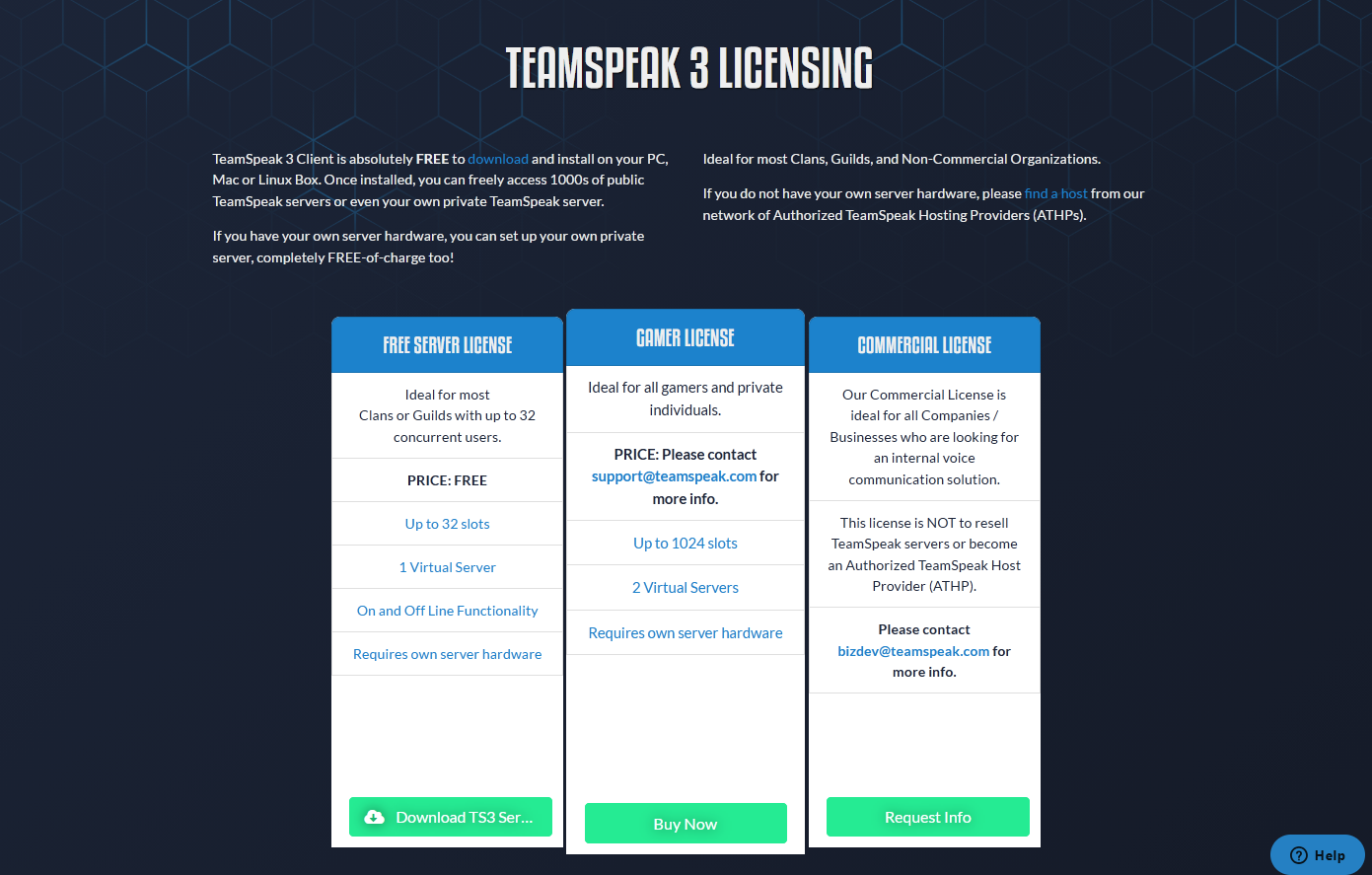
With TeamSpeak 6, however, the company has shifted to additionally offer first-party hosting. Pricing is based on the number of concurrent users (slots) and varies between self-hosted and first-party servers:
- Self-hosted servers of up to 32 concurrent users (slots): Free of charge.
- Self-hosted servers of >32 slots: Require a license fee of $55—$100 per year, depending on the number of slots.
- First-party "community" servers: Paid from the first slot, with a fee of $55—$200/year depending on the number of slots.
Notably, TeamSpeak does not monetize features. Every user gets the same functionality regardless of whether they have a paid server or not.
Feature scope
Discord is a full social platform with persistent text channels, threads, video calls, streaming, GIFs, stickers, bots, and so on. Voice is a clear focus, but it's not its only focus — the philosophy is to build multi-modal communities rather than voice-only ones.
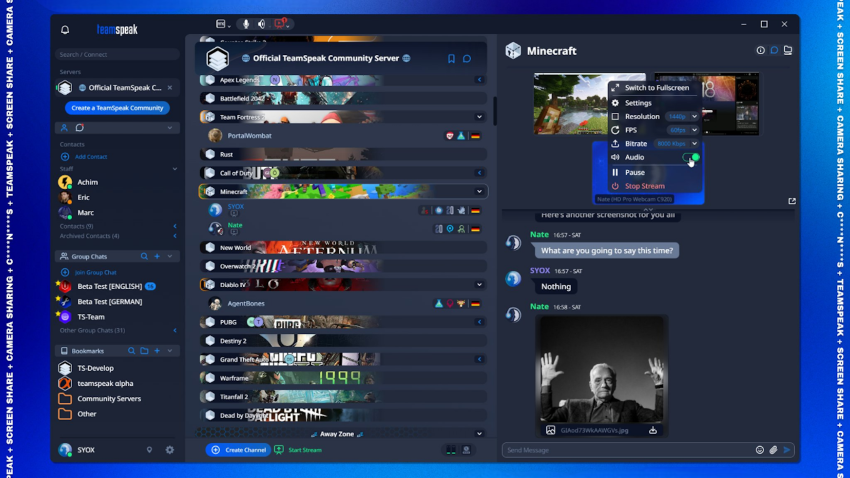
Only with TS6 has TeamSpeak begun to embrace a role as a wider social platform beyond voice, which places it several years behind. It now has basic text functionality, screen sharing, and webcam support, but it's still missing modern messaging functionality, good text search tools, bots, a mobile/web client, and so on. This may change as it comes out of beta, but that's the status at the time of writing.
Voice technology
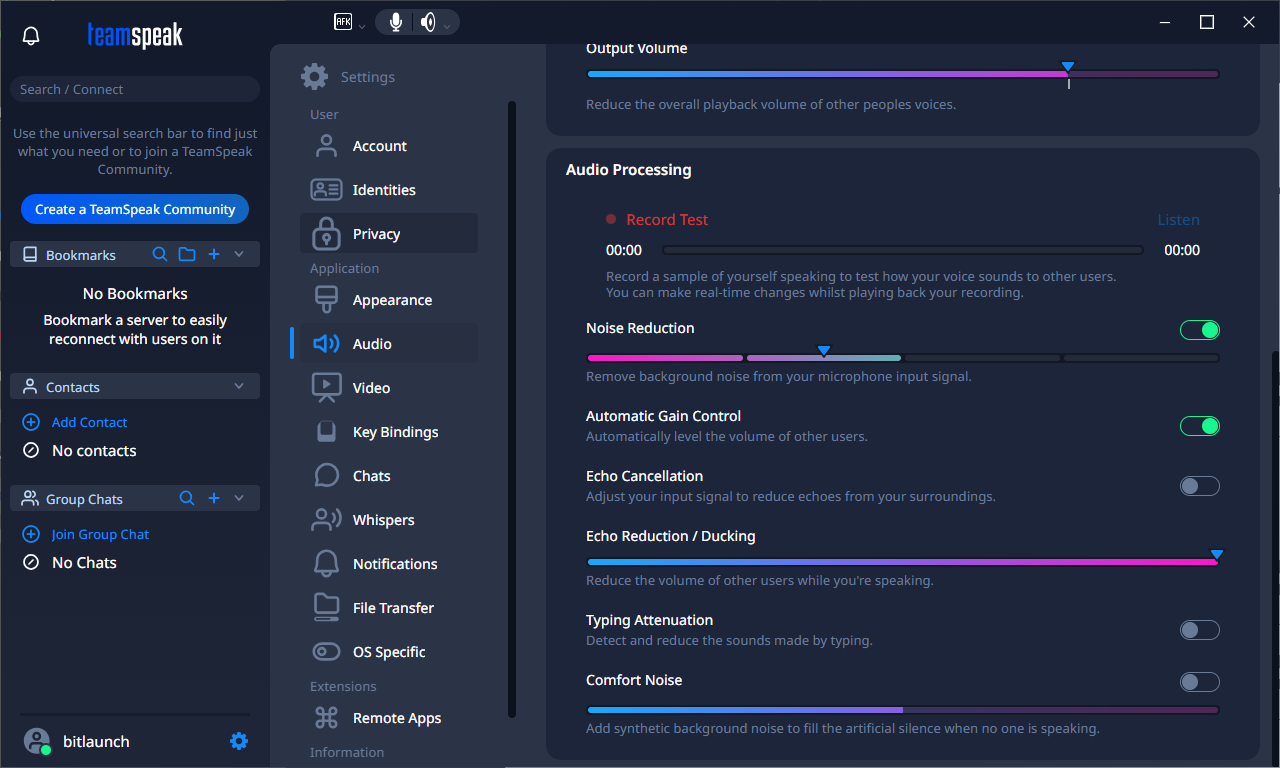
Discord and TeamSpeak use the same voice codec, Opus. There are, however, significant differences in other parts of the voice stack. TeamSpeak uses a consistent 100 Kbps bitrate regardless of server load or subscription status, whereas Discord uses an adaptive bitrate, with the free tier capping at 64 Kbps, but boosted servers supporting up to 384 Kbps. In simple terms, this means that Discord is willing to sacrifice voice quality for stability, whereas for TeamSpeak, voice quality is non-negotiable.
However, while you might assume that this would mean higher latency and more dropouts for TeamSpeak voice, its highly efficient proprietary protocol and distributed nature means that's rarely the case. TeamSpeak's efficient protocol allows for better latency than Discord's modified WebRTC when hosted in a logical location. Additionally, while Discord has voice channels for millions of users, the majority of TeamSpeak's userbase self-hosts their servers, which they can scale should they encounter any issues with dropouts.
TeamSpeak vs Discord: Advantages and Disadvantages
While there's substantial overlap between TeamSpeak and Discord, their strengths and weaknesses lie in different areas.
| TeamSpeak | Discord | |
|---|---|---|
| ★ Strengths | ||
| Voice quality | Consistent 100 Kbps bitrate, lower latency, lighter client — measurable edge in competitive gaming | Good enough for most users; adaptive bitrate prevents dropouts on bad connections |
| Privacy & data | Self-hosting means no third party sees your traffic. TS3 works without an account entirely | N/A — all data routes through Discord's infrastructure with extensive behavioral data collection |
| Server admin | Granular integer-based permissions, ServerQuery API, full root access when self-hosted | Role-based permissions are simpler but less granular; no self-hosting option |
| Resource usage | ~60–70 MB RAM, minimal CPU and bandwidth | 200+ MB RAM, heavier CPU from Electron client and richer feature set |
| Screen sharing | 1440p/60fps free for all users, true P2P streaming in TS6 | 720p/30fps free; 4K/60fps requires Nitro ($9.99/mo) |
| ✗ Weaknesses | ||
| Onboarding | Steep learning curve — basic tasks like AFK channels or server icons require digging through docs | Zero friction — create a server in seconds, invite via link |
| Feature breadth | No forums, threads, bots, rich embeds, or GIFs. Text chat is basic | Full social platform: persistent text, threads, forums, bots, embeds, video, streaming |
| Free hosted servers | None — self-host (technical) or pay from $4.99/mo | Unlimited free servers with no member cap |
| Mobile | TS3 has apps; TS6 has no mobile client yet | Full-featured iOS and Android apps |
| Network effects | Your friends probably aren't there | 200M+ monthly active users; communities for virtually everything |
| Stability | TS6 still in beta with known bugs and missing features | Mature, stable platform (voice quality can degrade under peak load) |
| Platform control | N/A — you control your own server | Centralized: Discord can unilaterally change policies and you comply or leave. 70K govt IDs leaked in 2025 breach |
Anyone familiar with Discord will already be aware of its strengths. It makes it incredibly easy to set up servers and build multi-modal communities with a rich array of social features and significant customization available via bots. This is backed up by a pricing model that encourages server admins to create and grow servers to their heart's content — monetizing individual users and features rather than server capacity.
But while Discord is a jack of all trades, you could argue that it's a master of none — and one with significant privacy concerns. In contrast, TeamSpeak is a master at quality, low-latency voice. It even has some voice features that Discord doesn't, such as the ability to press a hotkey to talk to only a specific person in a voice channel (perfect for dungeon masters). Then, of course, there is the privacy aspect, where the ability to self-host and lack of age verification places it leagues above its purple competitor.
That said, while TeamSpeak mirrors many of Discord's core features, its non-voice features are not as mature or as feature-complete. While it may well get there in the coming years, it currently still feels like an application whose primary purpose is to build communities centered around voice rather than text and media.
Discord vs. TeamSpeak for different use cases
As you may have gathered by now, features and specifications only tell part of the story. Whether you can make the switch from Discord to TeamSpeak (or vice versa) will largely depend on what you're trying to accomplish and which platform best fits your needs.
Though they occupy the same category, TeamSpeak and Discord have historically served different audiences — even if the gap is beginning to close with TS6. It's helpful, then to break down how each platform performs across the most common use cases.
Gaming clans and esports teams
If you're part of a competitive gaming circle, TeamSpeak is still the gold standard. Extremely low latency means faster call outs and cleaner audio, leading to fewer misunderstandings. Additionally, the stable nature of TS3 and the ability to self-host allows clans to create an extremely reliable experience where they won't be impacted by Discord outages or increased load from other users.
In the casual and semi-competitive market, however, Discord wins hands down. It allows communities to spin up servers and invite members in minutes, truly connect with each other with rich messaging features, and manage larger communities via bots and specific discussion threads.
Business and professional use
Ultimately, Discord isn't particularly useful in a professional environment. Teams and Slack have functionality very similar to Discord's, but are tailored specifically for professional use.
TeamSpeak does have some value for niche use cases. Its self-hosted nature allows businesses to maintain data sovereignty and ensure compliance, while its low-latency voice may be useful for specific businesses that require near-instant communication.
Content creator/brand communities
Discord is dominant in this space and rightly so. The application has evolved into one that feels practically purpose-built for creators and brands to cultivate communities around their content. Tiered roles, exclusive channels, and a bot ecosystem that can manage everything from Patreon subscriptions to moderation make it a fantastic tool for precisely this.
TeamSpeak doesn't yet have the foundations in place to serve this purpose in a meaningful way. While technically possible, the lack of features such as announcement channels, rich embeds, and bots means you'd be fighting with the platform rather than working with it.
Privacy-focused groups
All of Discord's data flows through its servers, and it may collect and retain this data to improve its services and comply with legal requirements. Discord employees can view messages (including DMs) and act on them, including for marketing or potentially to shut down protests in authoritarian countries. Combine this with such content being linked to real people due to age verification, and you have a recipe for a privacy disaster.
Conversely, TeamSpeak's self-hosting option allows you to control everything from hardware to logs, data retention policies, and security. This is genuinely game-changing for communities where communication privacy is non-negotiable, such as journalists, activists, or security researchers.
One caveat worth mentioning, however, is that this only holds true for servers you control. If you join someone else's TeamSpeak server, the admin can see your IP address, access logs of messages in the server, record voice conversations, access connection metadata, and keep that data for as long as they like. Your trust is being placed in a person or group rather than a corporation, which you may find better or worse depending on the situation.
Don't know where to start with self-hosting? Sign up for privacy-first hosting on BitLaunch and read our guide on how to set up a VPS.
Bottom line: Is TeamSpeak better than Discord?
There's no universal answer here. It's going to depend on what you value and what your needs are. That said, we can give some general guidelines below.
TeamSpeak is better if:
- Low-latency voice is critical
- You want full control over your communication environment
- You value privacy and stability over rich functionality
- You're comfortable with a bit more technical setup and management
- You prefer a model that monetizes at a server rather than a user level
- You want full control, including in-depth customization
Discord is better if:
- You value ease of use over data control and privacy
- You need rich media and bot functionality
- You prefer a model that monetizes individual users rather than server admins
- You're a content creator or brand looking to grow a community
- Fully featured mobile apps are a must
For most casual users, Discord's convenience and feature set will be the sensible choice. But TeamSpeak hasn't survived for over two decades by accident—it solves specific problems that Discord's architecture cannot address, including the big questions raised around Discord's privacy practices.
Other Discord alternatives
If neither TeamSpeak nor Discord are doing it for you, several competitors have popped up in recent years that are heavily inspired by the Discord GUI and ecosystem. Some of the stand-out Discord alternatives include:
1 - Root
Root markets itself as "Discord but good", with a familiar interface and feature set, but several additions clearly aimed at the gaming community. The killer feature here is apps. These are more comprehensive than Discord bots, with fully functional GUIs that enable anything from raid planning for MMOs to task management, polling, games, mod tools, and bridging with other platforms. As well as a few official apps, developers can build their own fully custom ones, specifically catering to their community's needs.
Like Discord, Root has no self-hosting and is not open source. There are concerns that this will lead to similar privacy concerns and "enshittification" in the future. What it does have going for it is ease of use, client apps on all major platforms, and the deep pockets of venture capital behind it.
2 - Stoat
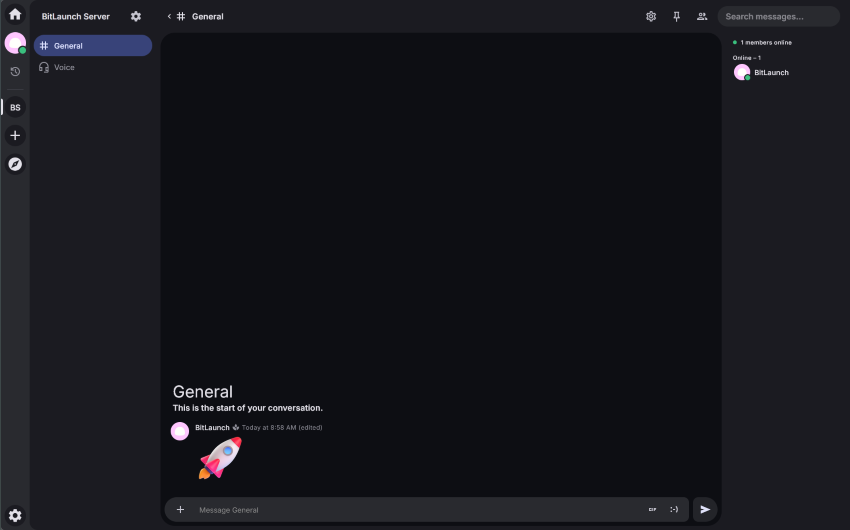
Stoat, formerly Revolt, is a fully open-source, customizable Discord alternative that can be self-hosted if you wish. While it's still in development, it has most of Discord's functionality, including servers, voice channels, rich text channels, and bots, with screen sharing and webcam support coming soon. Its developers have committed to keeping the app ad-free, with an optional subscription to launch down the line. It states that "We don't sell your data and we never will" and promises "no data mining, no shady partnerships".
3 - Fluxer
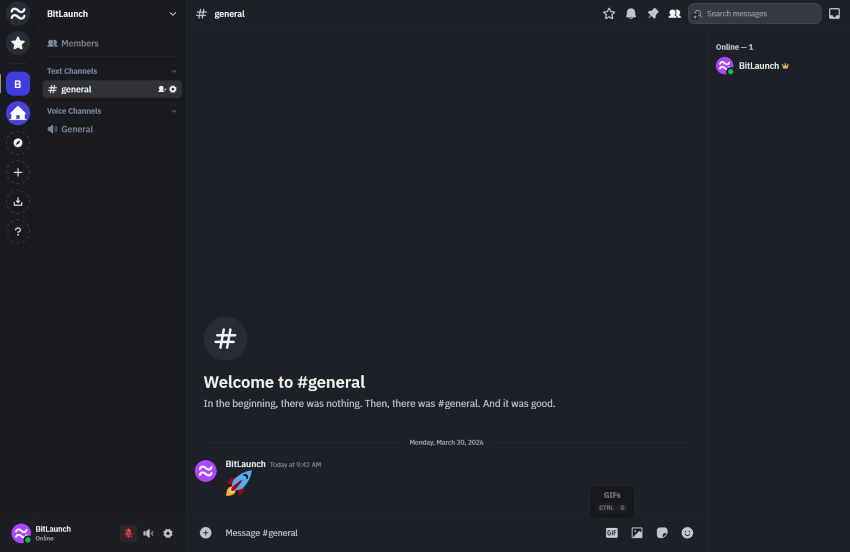
Fluxer is a Discord clone built in Sweden that has a similar philosophy to Stoat: hosted or self-hosted, with messaging, voice and video calls, screen sharing, moderation tools, custom emojis, and search. It looks uncannily similar to Discord (for better or for worse) and feels more feature-complete and smoother than Stoat despite only being in beta for three months. The downsides here are that there's no dedicated mobile app, some functionality is buggy, and self-hosting is still very much a work in progress. Much like Discord Nitro (albeit $5 cheaper), users can pay for better streaming quality, larger file uploads, and so on.
4 - Matrix
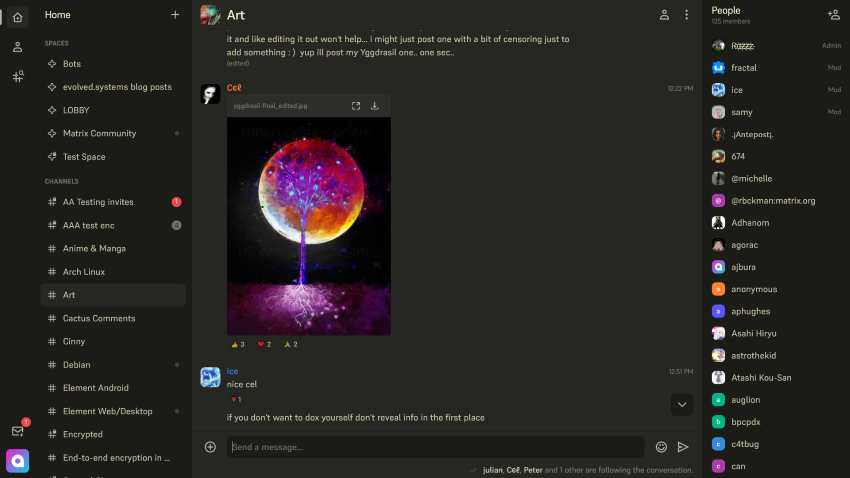
Matrix is fundamentally different from everything else on this list. It's a federated, decentralized protocol, meaning it works with multiple clients (apps) that can all communicate with each other. This allows users to choose the interface that suits them best, from the Discord-like Cinny app to the more mature Element, for which we have a setup guide here. It's end-to-end encrypted, which means users' messages are safe from the prying eyes of the host or server admin, and you can set up a Discord-Matrix bridge to mirror messages between the platforms.
There are caveats, though. While its text channel ecosystem is mature and group video calling works well, Matrix and its clients are only just catching up with voice, with features like voice channels still very new and, for the most part, limited to specific clients. Its client-agnostic nature also makes it more confusing for end users and harder to find support, while it's a little more technically challenging to self-host than something like TeamSpeak.
5 - Steam
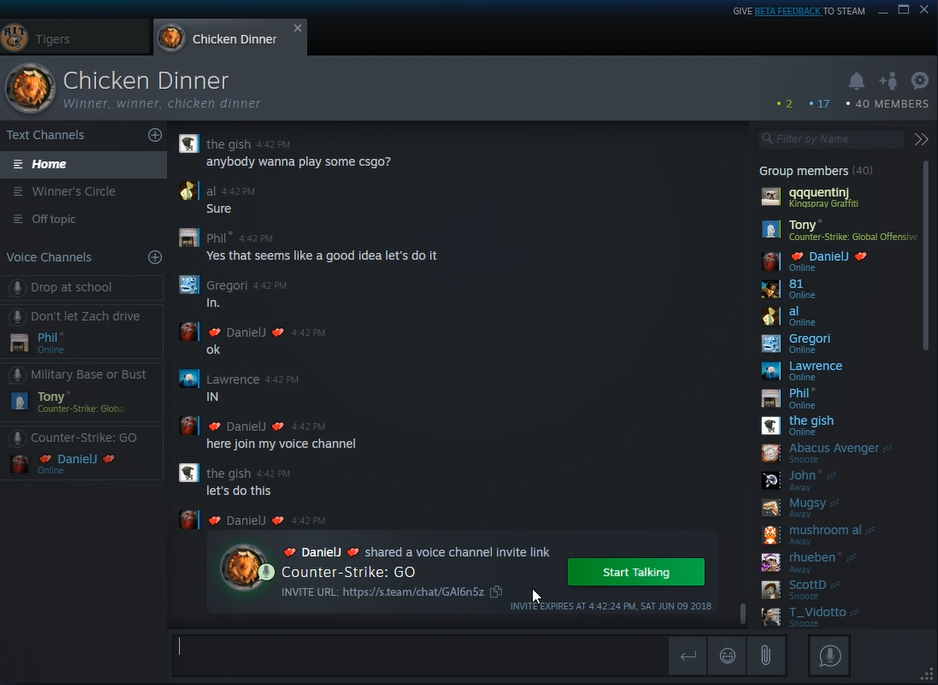
Many don't realize that Steam has fully-functional voice chat hidden away in its multitude of features. After creating a group chat on Steam chat, open the settings and name it to unlock the ability to create text and voice channels. As anyone who's used Steam chat knows, the text functionality is relatively basic but reliable, while the voice quality is decent and low-latency.
What's missing here is functionality like webcam support and direct screen sharing to those channels. Instead, users have to invite individuals to watch their game or broadcast via the regular Steam interface. It will be interesting to see if Valve capitalizes on Discord's wobble by further fleshing out this functionality, since it has some platform advantages such as the ability to directly invite users to join their game.
FAQs
How can I host a TeamSpeak server on a VPS?
After signing up for a VPS service follow our How to set up TeamSpeak on Linux or How to set up TeamSpeak on Windows guide.
How do I hide my IP address in TeamSpeak?
By using a VPN or proxy. If you don't yet have one, consider BitLaunch VPN or our one-click ShadowSocks R proxy on our VPS servers.
How do I open more than one TeamSpeak server?
The easiest way is to create an additional virtual server on the same host. If you don't have a paid server, you're unfortunately limited to one virtual server. This can be achieved using a Server Query tool (like YaTQA) or the command line to "create" a second virtual server within the existing instance. Keep in mind that each virtual server must use a different port. The default is 9987. Your second one would typically be 9988.
Alternatively, copy your entire TeamSpeak Server folder to a new location and change all of the ports.
Is TeamSpeak safer than Discord?
It depends on what you mean by "safer". For self-hosted servers, security depends on the individual host, the services they use, and their security practices. This may or not be better than Discord, who relies on several third parties and has had several data leaks already.
The other aspect to consider, however, is moderation. Discord has an overarching content team that ensures illegal content is not being hosted on its service. TeamSpeak does have the ability to shut down servers, but since it cannot see what messages are being sent, it would rely on user reports to prevent harmful imagery or malware.
Does Teamspeak have servers like Discord?
Yes. TeamSpeak is built around servers in a similar way to Discord, but with a key difference: you host them yourself (or rent one) rather than creating them for free on someone else's infrastructure. Each TeamSpeak server can have multiple channels for voice and basic text, with a granular permissions system for managing users. If you don't want to deal with setup, TeamSpeak also offers first-party hosted "community servers" starting at $4.99/month
Can I create a TeamSpeak/Discord bridge?
Neither platforms have native bridging capabilties, but there are a few community-made workarounds for text that typically involve connecting a Discord bot to TeamSpeak's ServerQuery interface to relay messages. For voice, there's TeamCord, though it appears to be largely abandoned and likely no longer works.